 Supabase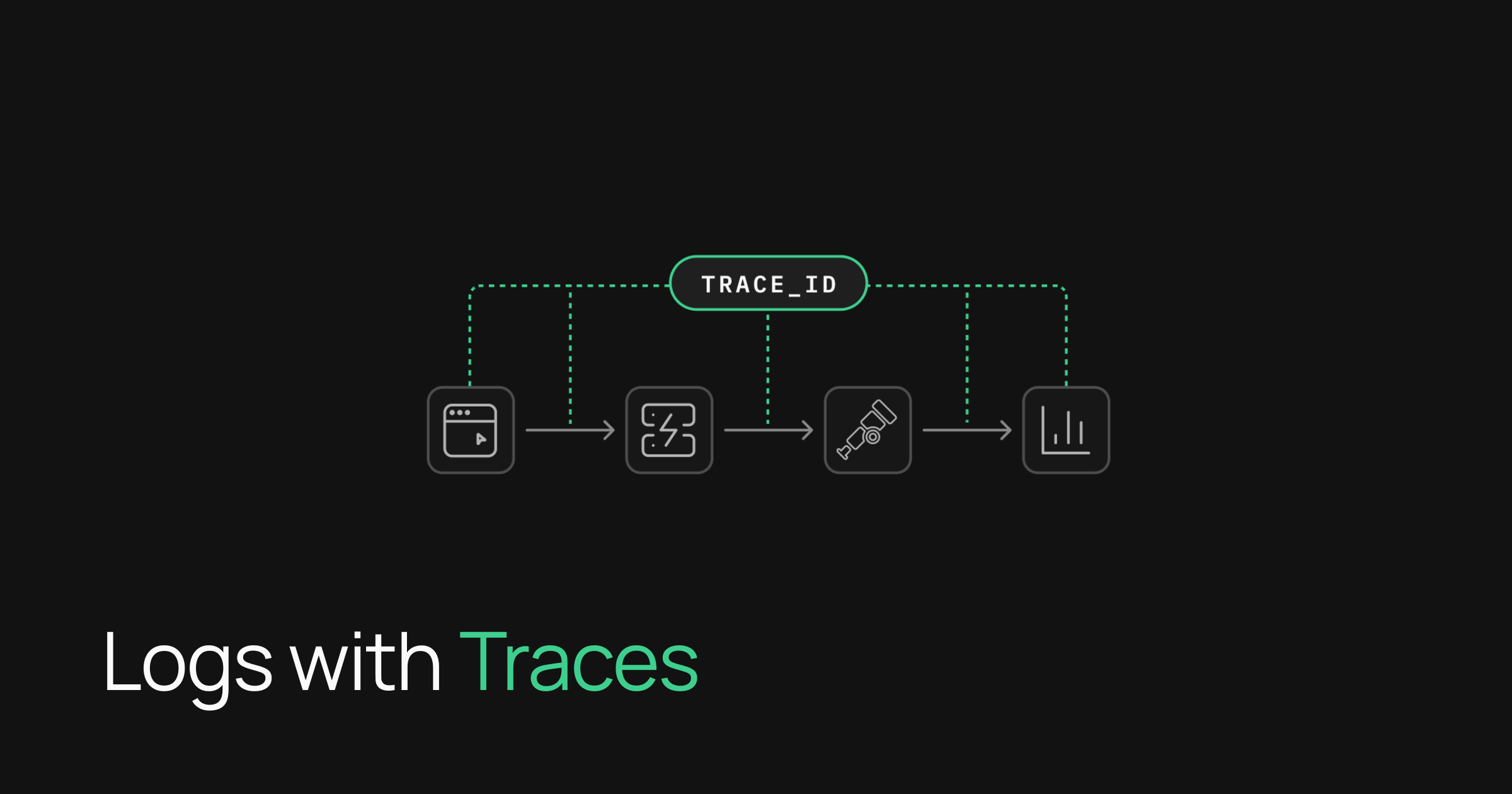
A slow request can begin in the browser and end in a backend log, but finding the connection between those records has often required guesswork. Supabase is addressing that gap by letting supabase-js pass W3C Trace Context into its infrastructure, giving the client trace and corresponding server logs the same trace_id.
The update, detailed in Supabase’s official blog post, is designed to make distributed debugging more practical. Instead of manually comparing timestamps across a tracing platform and Supabase’s logs, developers can use the shared identifier to follow a request from the frontend through the API Gateway and into Edge Function logs.
That is a relatively narrow SDK change, but it tackles a common observability problem for teams building production applications. Client and server telemetry frequently live in separate systems. Without a common identifier, identifying whether latency or an error originated in the browser, network, gateway or backend can consume more time than fixing the issue itself.
How Trace Propagation Works
When developers enable tracePropagation, supabase-js adds three standard W3C headers to requests targeting Supabase domains:
traceparent, which carries the trace and parent span identifierstracestate, which can preserve vendor-specific trace informationbaggage, which transports additional contextual values between services
Supabase reads the incoming context and applies the same trace_id to the logs generated for that request. W3C-compatible tracing products can then resume the trace on the server side. Supabase specifically lists OpenTelemetry, Sentry, Datadog, Honeycomb and Grafana among the compatible options.
The use of W3C Trace Context matters because it avoids making the feature dependent on one observability vendor. Teams can retain their existing tracer and exporter while using a standard set of headers to connect telemetry across the application boundary.
There are limits to what the SDK handles automatically. Supabase does not configure OpenTelemetry for the application, and the main supabase-js bundle does not ship with OpenTelemetry code. Developers still need to install and configure a tracing SDK, add an exporter and register a TracerProvider globally.
They must then load Supabase’s tracing integration at the application entry point and enable propagation when creating the client:
import '@supabase/supabase-js/tracing'
import { createClient } from '@supabase/supabase-js'

const supabase = createClient(SUPABASE_URL, SUPABASE_KEY, {
  tracePropagation: true,
})
Supabase calls also need to run inside an active span. If no trace exists at the time of the request, there is no trace context for the SDK to forward.
Why It Matters for Smaller Product Teams
For small businesses and lean development teams, the immediate benefit is faster incident investigation. A developer seeing a slow dashboard request in a browser trace can search Supabase’s logs for the same trace_id, rather than trying to infer a match from timestamps and request details.
The capability should be particularly useful for applications that rely on Edge Functions or make frequent requests through Supabase’s APIs. It can help teams separate frontend delays from server-side processing problems and provide a clearer record of a request’s path through the stack.
It also fits into Supabase’s broader work on developer operations and observability, while complementing application-level changes such as its more precise Postgres Changes subscriptions. The company says trace propagation is available beyond JavaScript in Swift, Flutter and Python, with language-specific setup covered in its client-side tracing documentation.
The feature is opt-in rather than a silent change in SDK behavior. That gives teams control over when trace headers are attached, but it also means existing applications will not gain linked telemetry until developers configure a tracer, import the tracing runtime and turn propagation on.
Frequently asked questions
What is W3C Trace Context propagation in supabase-js?
It is an opt-in capability that sends standard tracing headers with supabase-js requests. Supabase uses that context to put the client trace’s trace_id on corresponding API Gateway and Edge Function logs, allowing developers to correlate frontend and backend telemetry.
Does Supabase configure OpenTelemetry automatically?
No. Developers must provide and configure their own OpenTelemetry SDK or another W3C-compatible tracer, including an exporter and global tracing provider. They must also import @supabase/supabase-js/tracing, enable tracePropagation and make Supabase requests within active spans.
Which Supabase client libraries support trace propagation?
Supabase’s announcement focuses on supabase-js, while its documentation also lists support for Swift, Flutter and Python. Setup varies by language, so developers should consult the current documentation for implementation details.
Sources
1 checkedHow we cover tool news: Create With's tool desk drafts these reports with AI from the sources listed above and checks them against those sources before publishing.






