Supabase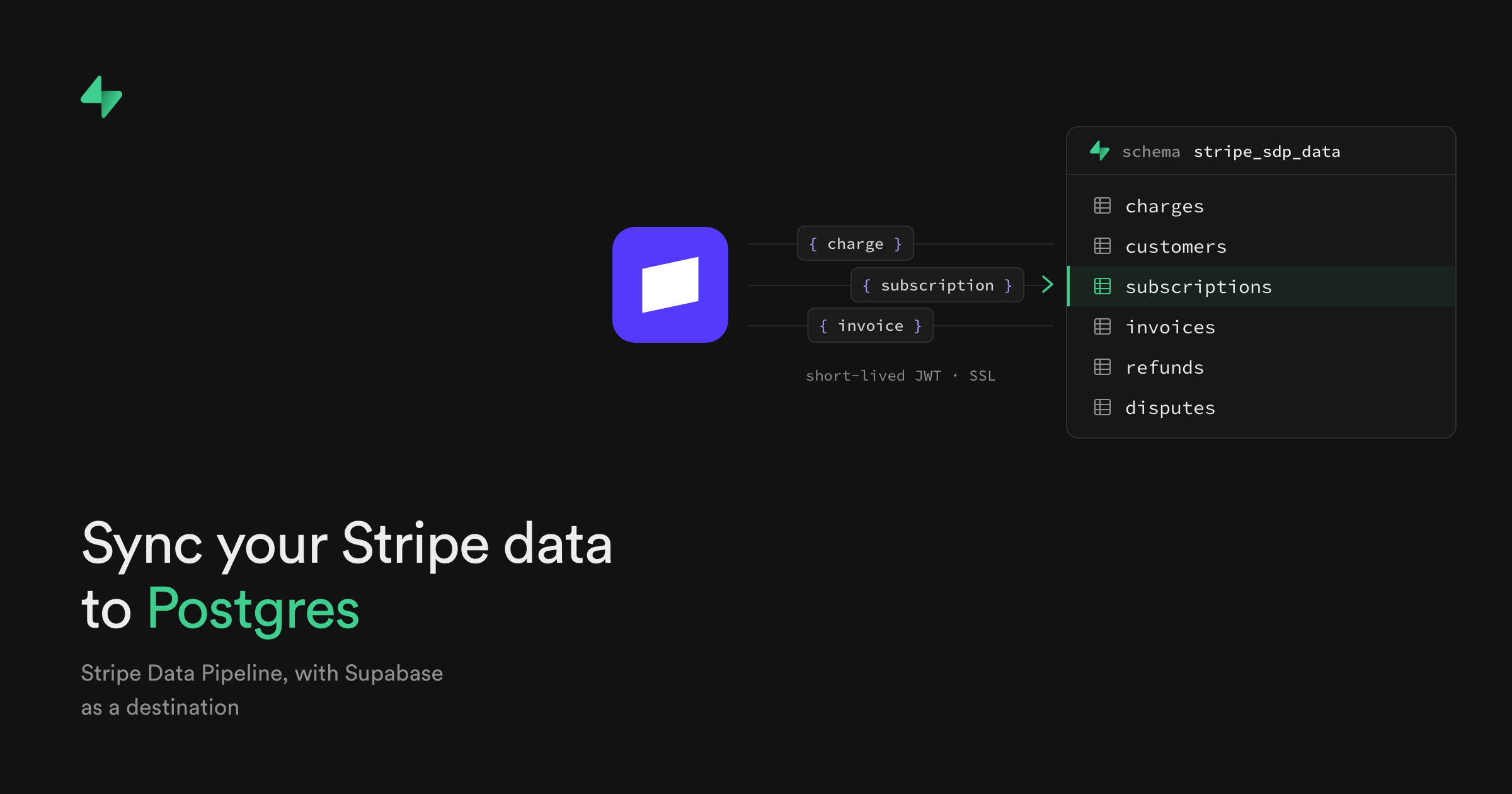
Stripe Data Pipeline now sends real-time payment and customer data directly into a Supabase project. Setup happens in the Stripe Dashboard, where builders can select Supabase as a Postgres destination.
The integration also backfills historical records and keeps them continuously in sync. The Supabase blog post describes a setup with no webhook handlers to maintain and no API rate limits to work around.
Stripe Data Pipeline Replaces Custom Sync Work
Previously, getting revenue data into the same database as an application meant building webhook handlers. Those handlers needed to deal with retries, event ordering and changes to Stripe’s schema.
Stripe Data Pipeline already sent data to warehouses including Snowflake and Google BigQuery. Its new Postgres destination gives Supabase projects a direct connection.
Charges, refunds, disputes, customers, subscriptions and invoices arrive as tables inside the project database. Other Stripe records are included too. The tables sit in a dedicated schema with a stripe_sdp prefix and can be queried with standard SQL.
This puts payment records beside the rest of an application’s data. Builders can join subscriptions to user accounts, combine refunds with order records or run revenue queries without fetching each record through the Stripe API.
Connecting Supabase From the Stripe Dashboard
The connection starts from Stripe rather than the Supabase dashboard. Stripe handles the historical backfill and ongoing synchronisation after the project is selected.
- 1
Open Data Pipeline
go to Reporting, then Data management in the Stripe Dashboard
- 2
Choose the destination
select Postgres and Supabase
- 3
Authorise Supabase
sign in and choose the project to connect
- 4
Query the data
use standard SQL against the dedicated Stripe schema
Supabase prepares the project for the connection by creating a dedicated stripe_sdp database role. The imported tables remain in the builder’s own Supabase database rather than a separate warehouse.
The historical backfill also means teams do not need to start collecting records from the day they enable the connection. Existing Stripe data is copied into the project before the continuous sync keeps it current.
Frequently asked questions
What is Stripe Data Pipeline in Supabase?
Stripe Data Pipeline is a direct connection that copies historical and real-time Stripe data into a Supabase Postgres database. It creates tables for payments, customers, subscriptions, invoices and other records in a dedicated schema.
Which Supabase plan includes Stripe Data Pipeline?
The blog post does not state pricing or plan requirements. It confirms that setup is available through the Stripe Dashboard by selecting Supabase as the Postgres destination.
How does Stripe Data Pipeline compare with webhooks?
Stripe Data Pipeline handles the historical backfill and continuous synchronisation. A custom webhook setup requires builders to maintain handlers and manage retries, event ordering and schema changes themselves.
Sources
3 checkedHow we cover tool news: Create With's tool desk drafts these reports with AI from the sources listed above and checks them against those sources before publishing.




 Jotform
 Gemini
 Figma
Figma
 Vercel