 Figma
Figma
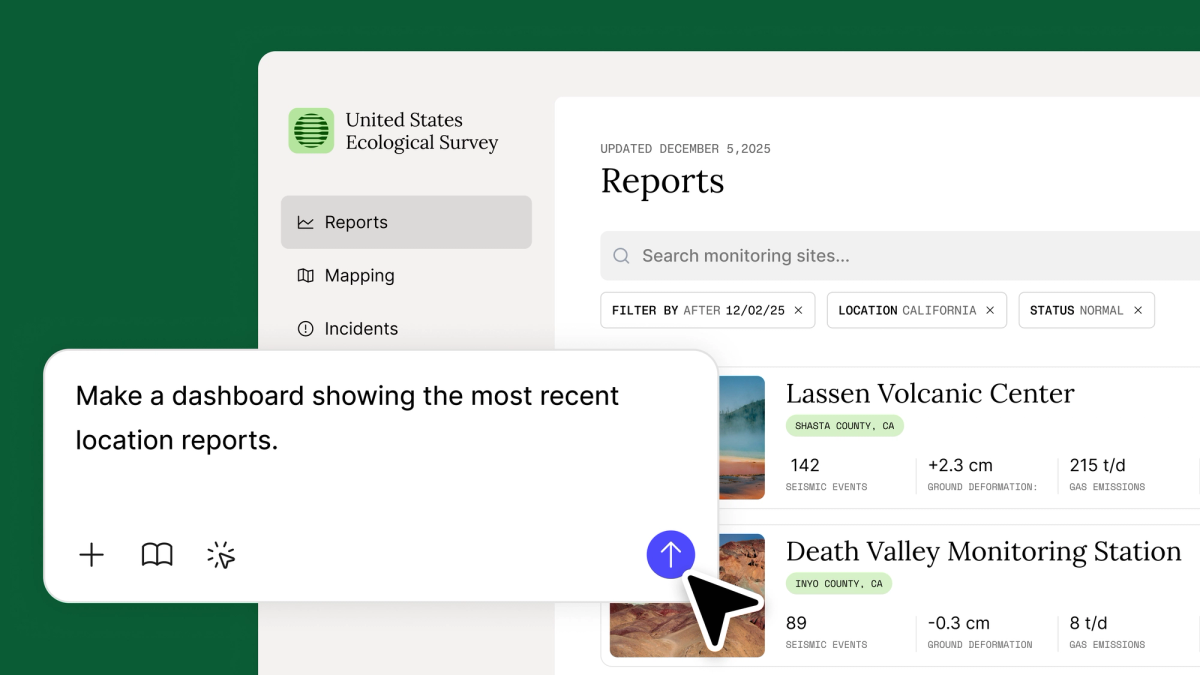
Figma has added its Make offering to the Government plan, extending AI-powered design and prototyping capabilities to public sector teams. The update aims to help government organizations prototype faster, collaborate securely, and modernize their service delivery.
Figma Make, the company's AI design generation tool, allows teams to create prototypes from text prompts and reference images. By including Make in the Gov plan, Figma is positioning the feature as a resource for government agencies working under strict security and compliance requirements.
Prototyping Tools Meet Public Sector Compliance
Government design teams face unique constraints. They must balance the need for rapid iteration with stringent data security, accessibility standards, and procurement processes. Figma's Gov plan, which already includes enterprise-grade security controls and compliance certifications, now provides these teams access to the same generative design tools available to commercial users.
Make supports over 30 file types for design context, according to a recent update. This means government teams can import existing documents, spreadsheets, and images to ground their prototypes in real project requirements, reducing the gap between internal documentation and user-facing interfaces.
The tool also integrates with Google Gemini 3 Flash, as previously reported, allowing for faster generation speeds. For teams working on tight timelines to deliver digital services, the speed gains could prove significant.
Secure Collaboration for Distributed Teams
Public sector work often involves cross-agency collaboration, with teams spread across regions and departments. Figma's real-time collaboration features are built for this kind of distributed work, but the Gov plan adds layers of control over who can access files, how data is stored, and where processing occurs.
By including Make, government teams can now use AI to speed up early-stage design without compromising on security. The tool generates visual concepts that teams can refine collaboratively, reducing the time spent in siloed design phases.
Figma has also introduced Make Kits, which provide starter templates and components tailored to specific use cases. These kits help teams begin with patterns that reflect real project needs rather than starting from scratch. Government agencies designing citizen portals or internal dashboards could benefit from templates built around accessibility and compliance.
Broader Push to Modernize Public Services
The expansion comes as governments worldwide invest in digital transformation. Outdated interfaces and fragmented services remain common pain points for citizens interacting with public agencies. Design tools that lower the barrier to iteration and testing can help agencies move faster without increasing headcount or outsourcing.
Figma's Gov plan competes with other enterprise design platforms seeking public sector contracts, including Canva and Adobe's suite. By bundling Make into the plan, Figma is betting that AI-assisted design will become a standard part of government workflows, not an optional add-on.
The update is available now. Government teams already on the Gov plan can access Make through their existing licenses. More details are available on Figma's blog.
Sources
1 checkedHow we cover tool news: Create With's tool desk drafts these reports with AI from the sources listed above and checks them against those sources before publishing.






 ElevenLabs
 Glide
Glide
 Stripe