Skip to content
All tool news

Tool desk · Updated daily

Tool news·Figma·

Figma Motion Adds Text Animation and Audio Tools.

Figma Motion now supports text animation and audio, letting designers build fuller motion prototypes without leaving Figma.

CW

Create With tool desk

3 sources checked · 2 min read · 2 sections

ShareLinkedIn
Figma Motion Adds Text Animation and Audio Tools

Figma Motion can now animate text and carry audio, according to a LinkedIn post from Figma. Both capabilities sit inside the Motion tool, so a title card, a button label or a bit of body copy can now move and make sound without a handoff to another app.

This follows Figma's earlier addition of reusable styles and Lottie export, which let teams save motion presets and ship them straight into production code. Text animation and audio close two obvious gaps in that workflow: before this, anything with moving type or a sound cue had to be mocked up elsewhere and dropped back into the prototype as a flat asset.

What text animation and audio change in Figma Motion

For a product walkthrough, an onboarding screen or a marketing teaser, text is usually doing half the work. Being able to animate it directly in Motion means a designer can time a headline to appear with a transition, sync a caption to an interaction, or pair a sound effect with a state change, all inside the same canvas used for the rest of the prototype. That matters for anyone building app intros, explainer loops or social previews who previously bounced between Figma and a separate motion or audio tool just to finish one sequence.

The LinkedIn post is short and points to a demo link rather than a changelog, so detail on specific controls, file formats or audio length limits is not yet public.

  1. 1

    Open a Motion file

    start from an existing prototype or a new Motion canvas

  2. 2

    Add a text layer

    set its animation the same way you would a shape or component

  3. 3

    Drop in audio

    attach a sound cue to a transition or state change

  4. 4

    Preview the sequence

    play it back before exporting or sharing

Frequently asked questions

What is Figma Motion? Figma Motion is the animation and prototyping tool built into Figma for creating moving sequences, such as app walkthroughs, transitions and marketing loops, without leaving the design file.

What do text animation and audio add to Figma Motion? They let designers animate text layers and attach sound directly inside a Motion sequence, rather than producing those elements in a separate app and importing them as static assets.

Sources

3 checked

How we cover tool news: Create With's tool desk drafts these reports with AI from the sources listed above and checks them against those sources before publishing.


Worth passing on?

ShareLinkedIn

Go deeper on Figma

Related reading, watching and going.

Everything on Figma →

The briefing

25 Aug 2026

Claude Code + Figma Console MCP: Side-by-Side Flow

How Claude Code + open-source Figma Console MCP creates a side-by-side design flow that draws straight into your Figma file—no credits or rate limits.

Read →

The briefing

21 Apr 2026

Claude Design vs Figma Make vs Google Stitch: AI Design Tested

We tested Claude Design against Figma Make and Google Stitch to see which AI design tool wins. Plus: Buildprint launches for Bubble, Lovable's security issue, and what's new in vibe coding.

Read →

The briefing

17 Mar 2026

Top Tips for Vibe Coding Real Apps with Lovable in 2026

Master Lovable's React and Tailwind approach to vibe coding. Learn strategic prompting, tech stack choices, and community tips for building real apps fast.

Read →
34 min

Podcast

My Daughter Built a Website Business, Claude Design First Look & Going All-In on Cloudflare

James and Kieran discuss practical AI-powered development through real-world examples, including a seven-year-old building a website business with Claude Code voice mode, Anthropic's new Claude Design tool, API security challenges in the AI agent era, and Cloudflare's expanding AI infrastructure offerings. The episode covers hands-on experiences with vibe coding, emerging design tools, and the evolving landscape of AI-assisted development.

Watch now ↗

Tutorial

From Figma design to native mobile app with @karlafernandes and @CreateWithHQ

This hands on session shows how to convert a Figma design into a native mobile app workflow using Bravo Studio with guidance from Karla Fernandes and Create With. Viewers learn the end to end steps from preparing Figma files to mapping components, testing on device, and preparing for release.

Watch now ↗

Latest tool news

What else changed this week.

All tool news
MakeDigest

What Make Shipped in Its Latest Update

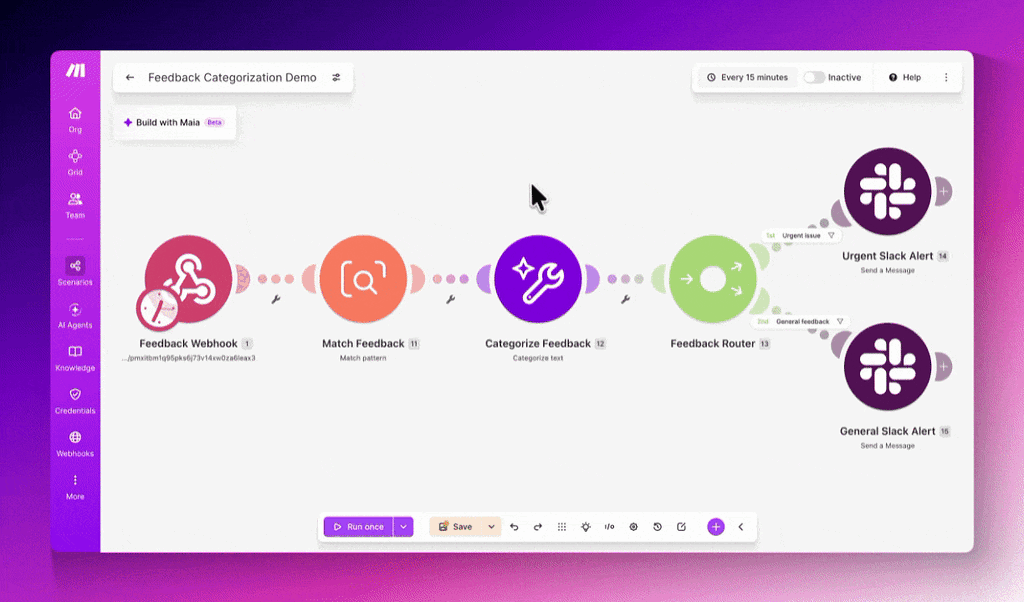
Make just made scenario design less punishing. An Undo‑Redo feature landed in the scenario editor, giving builders a safety net when they move, link or delete modules.

The Create With Briefing

Don't watch forty changelogs. Read one email.

Every Tuesday: the tool changes worth knowing, real business use cases, and what's on near you. Free, unsubscribe any time.