Lovable
 Supabase
 Stripe
 Figma
Figma Gemini
01 / 07
Deep Dive: Lovable - The Friendliest Vibe Coding Tool
Lovable has rapidly gone from being a new kid on the block to the go-to choice for vibe coders, particularly those who are starting out.
02 / 07
Why Lovable Works Where Others Fail
The secret sauce lies in its constrained tech stack. By limiting choices to proven frameworks, Lovable eliminates the decision paralysis and compatibility issues that plague other platforms.
The key advantages:
- Stability over flexibility - React/Vite foundation prevents the chaotic mess you get with multi-framework tools
- Visual consistency - Tailwind CSS ensures everything looks professional out of the box
- Functional complexity - Can handle sophisticated projects that would break other vibe coders
These smart defaults that let you focus on building.
03 / 07
Lovable tips from the community
We asked a load of community members - here are their best tips for building with Lovable.
Start Strong with Strategic Prompting
Your initial prompt sets the trajectory for everything that follows.
Essential elements for power prompts:
- Clear project scope - "Build a fitness tracking app with workout logging and progress analytics"
- Specific tech requirements - "Connect to Supabase for user authentication and data storage"
- Visual direction - "Modern, clean design similar to Strava's interface"
- Plan mode - "Use Lovable's plan mode to ensure it thinks through the project carefully before building"
Don't just describe features. Paint the complete picture of what you're building and why. More information and context is better than less.
Master the Inputs
Lovable's interface is packed with tools to help:
Screenshot import - Drop any design mockup and watch Lovable recreate it functionally. Perfect for converting static designs into working apps.
Voice prompting - Skip the typing and speak your requirements. Surprisingly accurate and much faster for complex requests.
Figma integration - Import designs directly from Figma files. This bridges the gap between design and development seamlessly.
Navigate the Collaboration Features
Discuss mode is your debugging friend. When things go wrong, don't immediately ask for code changes. Hit the chat button and troubleshoot the problem first.
This prevents Lovable from going down rabbit holes. You can outline the exact fix needed, then implement the plan once you're aligned.
Advanced tips
AI integration requires zero setup. One prompt connects you to Gemini models with usage tracking included.
Edge functions handle external APIs. Lovable writes the serverless functions needed to connect with Stripe, email services, or any third-party API.
The edit tool is great for small tweaks. Click any element on your app and modify it directly. Perfect for quick changes without burning credits.
Knowledge base maintains consistency. Add your coding standards, color schemes, and style guides to the knowledge section. Every subsequent prompt will follow these guidelines.
GitHub sync enables hybrid workflows. Your code stays in version control, letting you collaborate with traditional developers or continue in other tools.
Security and Publishing Best Practices
The security scan is your deployment checklist. Lovable identifies vulnerabilities automatically and can fix them with one click.
Custom domains and white-labeling remove all traces of Lovable from your finished product. Your users will never know it was built with AI.
Environment management keeps your API keys secure and your test data separate from production.
04 / 07
Real projects built with Lovable
Nicolas Grenié — Baby Mozart, Conference Chaos & Christmas Bingo
Nicolas is a Lovable ambassador who ships apps the way most people send texts.
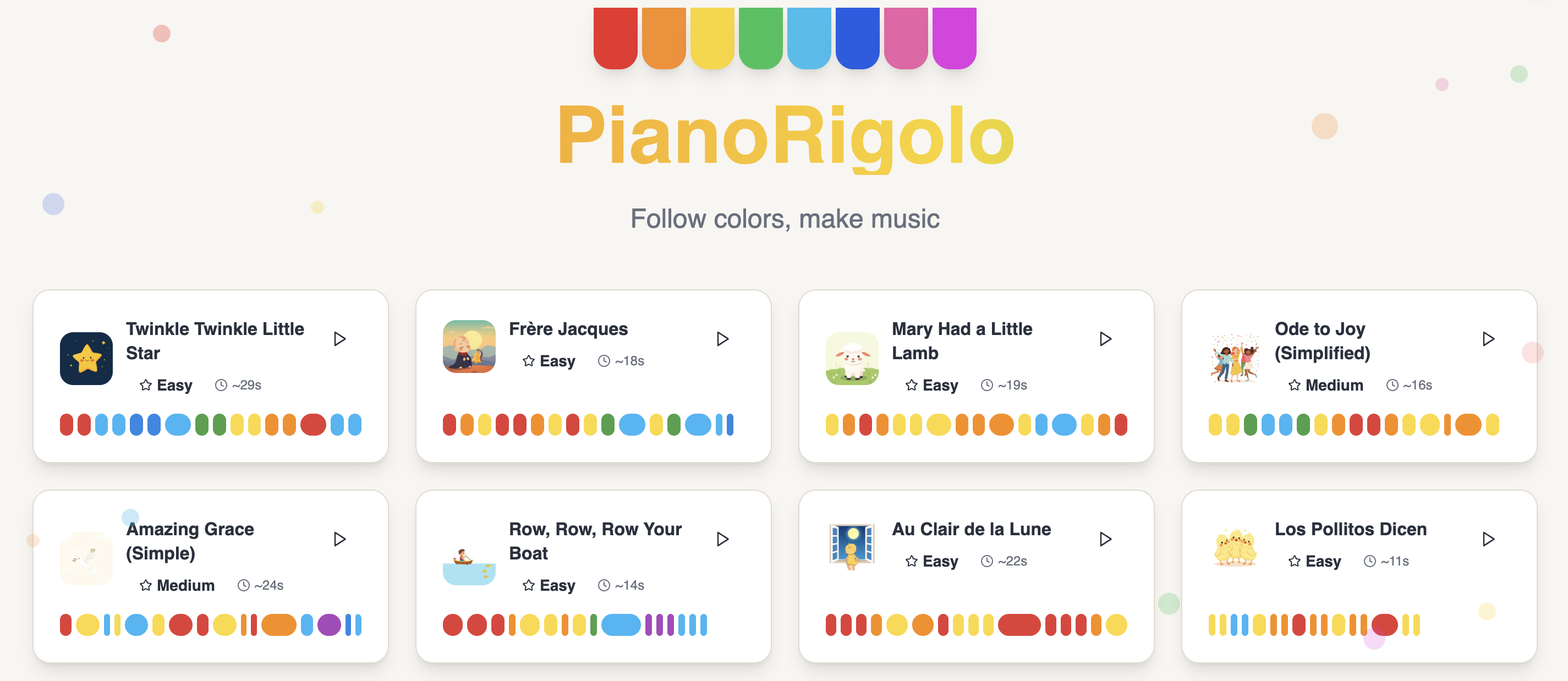
- He built a baby piano app one-handed on his phone while holding his sleeping 6-month-old — because he was tired of "Twinkle, Twinkle, Little Star" and couldn't find better sheet music.
- He turned a conference side-events list into a voice agent instead of another boring scrollable page.
- And on Christmas Day, in just a few hours, he built a real-time custom bingo card generator for family dinners.
Nicolas's tips: Always use Plan mode first. Add "Ask me questions until you are 95% sure of what you need to build" to your prompts. Annotate screenshots with arrows to show the agent what's wrong. And don't overthink your database — Lovable's built-in one is fine when you have zero users.
Renée — A Salary Negotiation App, Built in a Week
Renée is a UI designer at Renative Studio with 10+ years of design experience but zero programming background. She kept noticing people around her getting underpaid and too scared to negotiate, used Claude to research the salary gap, and spotted a market opening.
Her approach: write a Product Requirement Document with a full blueprint, pair it with design instructions, and let Lovable handle the rest.
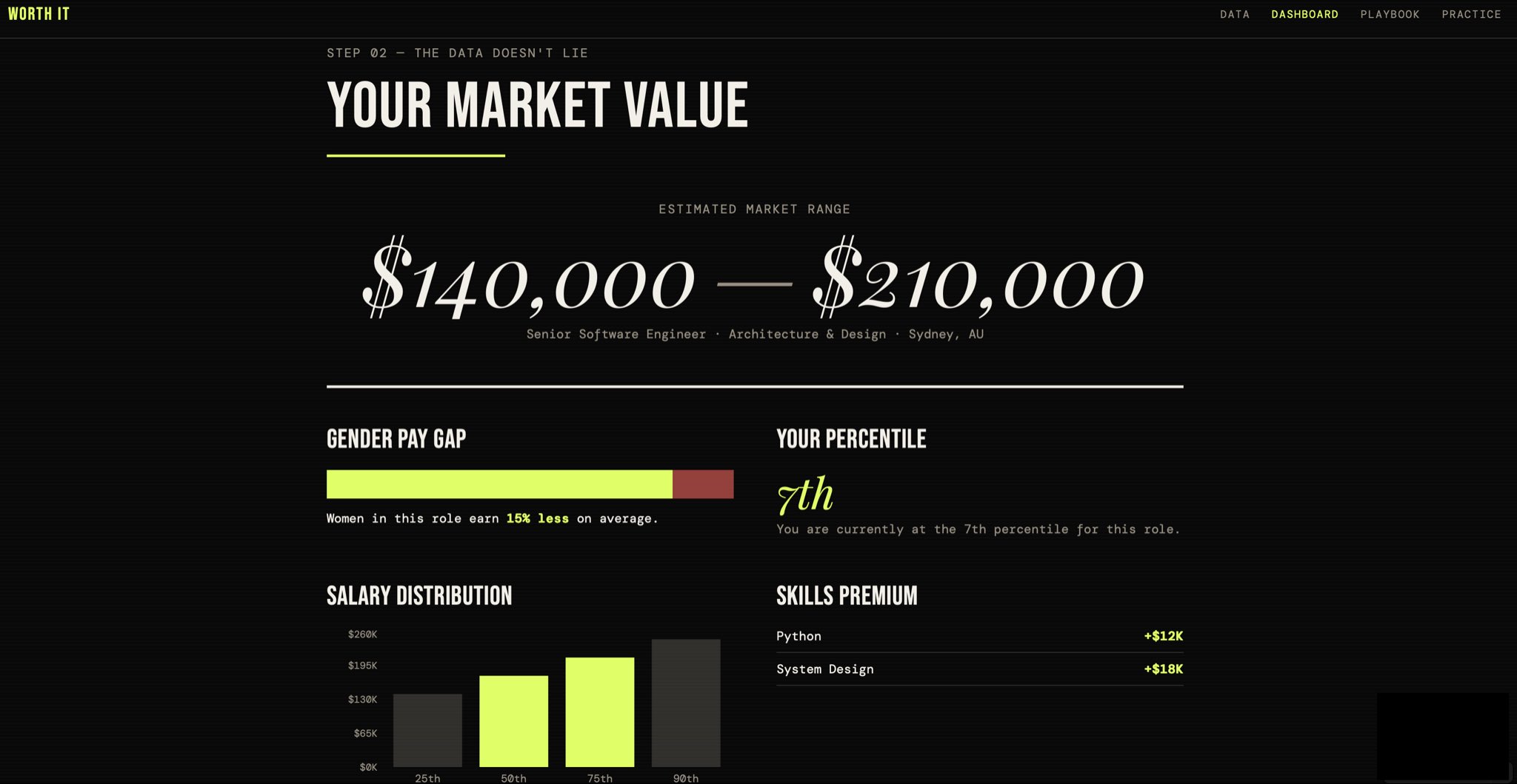
Renée's advice: Write a PRD before you start prompting. Focus on clarity over complexity. Launch a basic version fast — you learn more from shipping than perfecting in isolation.
Jan (IQ Branding Solutions) — Nokori: A Quiet Little Poetry App
Jan runs a branding company in Ireland with no dev background. On a poetry retreat in Scotland, she wanted a minimal space to write a daily tanka — a Japanese form like a longer haiku. She couldn't find one, so she built Nokori ("what remains") in a few days.
She started with the core — write one poem, save it — then layered in favourites, archives, and tags as she used it herself. Her philosophy: this didn't need to become a massive project to be worthwhile. It was a small idea, built at the right moment, and that felt enough.
Jan's advice: Keep it small — one clear use case first. Treat prompting like giving a good brief: one feature, one change, one decision at a time.
05 / 07
From the community
- Ed built a tennis ladder for his local tennis club using just HTML and Google Sheets, proving that sometimes the simplest tech stack is exactly what non-technical users need.
- Mark is curating a collection of AI content channels and asking for community recommendations — a brilliant resource for anyone looking to expand their AI learning sources.
06 / 07
Video: Building a Complete Marketplace App with AI in 90 Minutes
Cameron from Xano demonstrates something remarkable: building a two-sided marketplace from scratch using AI-powered tools in less than 90 minutes.
This wasn't possible only a few months ago.
07 / 07
Final Thoughts
Someone realised it's less awkward to voice prompt an AI if you pretend you're on a phone call to it.

Written by
Kieran Ball
Co-founder, Create With

Written by
James Devonport
Co-founder, Create With
The Create With Briefing
Get the next edition first.
Real-life use cases, the tool changes that matter, and the best events near you. Free, every Tuesday, to 8,600+ readers.