 Airtable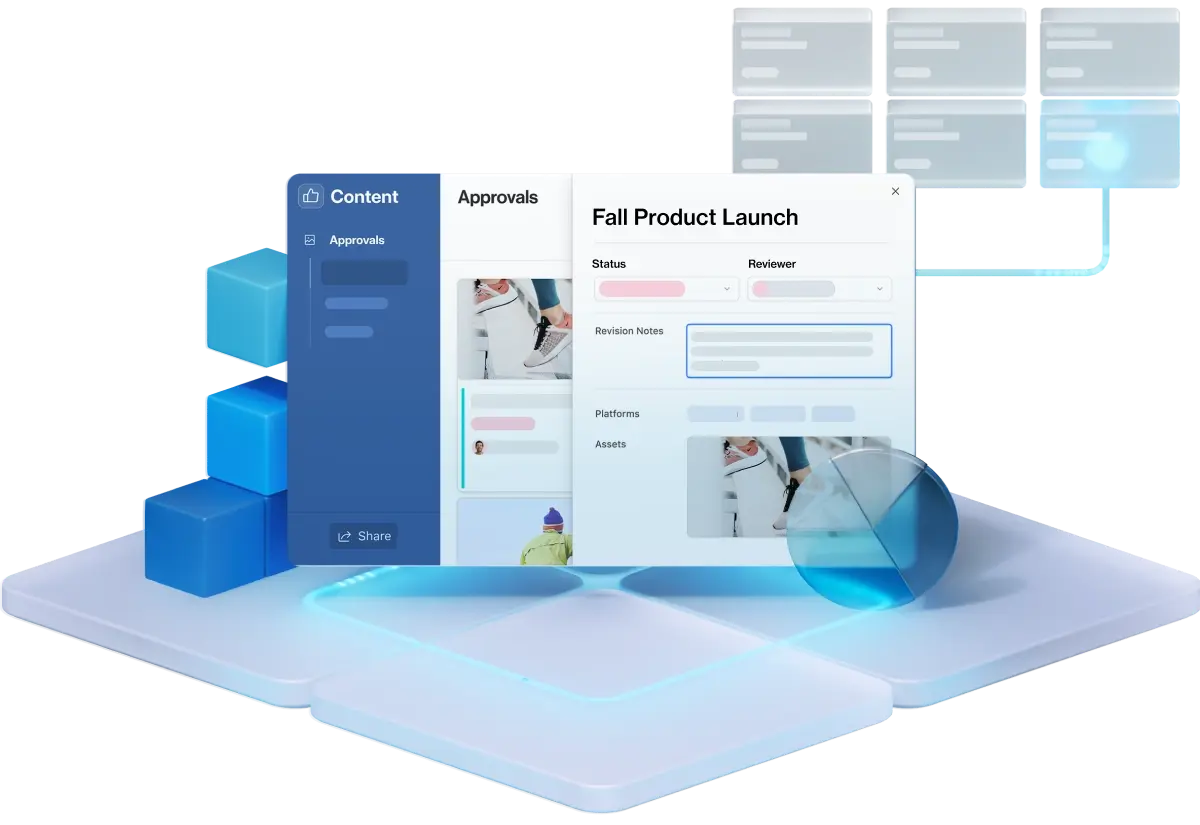
Airtable is testing a new way to turn structured data into working software. Canvas lets users describe an app, dashboard or report in natural language, then generates it directly on top of the records already stored in an Airtable base.
The company announced Canvas on LinkedIn as part of its Summer Camp product rollout. Airtable is positioning the feature as more than another view or AI-generated prototype. Canvas is intended to produce a live, branded application that teams can share and use against their real records.
That distinction matters. Many AI app builders can rapidly generate an interface, but users must subsequently connect a database, map fields and ensure that the application remains aligned with its underlying schema. Canvas reverses that order by starting with the base.
Building From the Data Outward
A Canvas workflow begins with an existing Airtable base and a plain-language description of what the user needs. That request could be a dashboard for tracking campaigns, a report summarising project status or an internal app for reviewing customer requests.
Because Canvas already has the base as its foundation, Airtable says there is nothing additional to wire up. The generated application works with live records rather than copied or placeholder data. It can also follow changes to the base when fields are modified, reducing the maintenance usually required when an interface and its data model are handled separately.
The approach could be useful for teams that have spent years building operational systems inside Airtable but still rely on manually configured interfaces, reports or external front ends. A small business might use Canvas to place a cleaner approval interface over an inventory base. An agency could generate a client-facing campaign report from its production tracker, while an operations team could create a focused app for colleagues who do not need access to every table and field.
Airtable also says Canvas can reflect an organisation’s brand and be shared with a team. However, the initial announcement does not explain the available layout controls, publishing options, permission model or limits on how generated apps can be customised. Those details will determine how far Canvas can move beyond internal dashboards into more specialised workflows.
An Early Product With Enterprise Input
Canvas is explicitly an early look, not a finished release. According to Airtable, teams at some of its largest enterprise customers have been building with the feature for months. Requests from those testers now account for much of the product roadmap.
That enterprise testing suggests Airtable is evaluating Canvas against real operational systems, where changing fields, access controls and large record sets can make generated applications harder to maintain. It also fits the company’s wider effort to let AI create operational workflows, following its work on MCP Server automation creation for AI-built workflows.
For no-code builders, the main promise is speed without the usual separation between prototype and production data. Canvas could shorten the path from an established base to a usable interface, particularly when the requirement is clear but design and implementation resources are limited.
There are still important unknowns. Airtable has not disclosed specific plan requirements, pricing, usage limits or a date for general availability. Canvas is currently in Airtable Labs, and access is being released in waves, so not every account will see it immediately.
Frequently asked questions
What is Airtable Canvas?
Airtable Canvas is an AI-assisted feature that builds apps, dashboards and reports from a natural-language description. It starts with an existing Airtable base, uses live records and is designed to stay aligned when fields change.
Who is Airtable Canvas for?
Canvas is aimed at teams that already manage data and workflows in Airtable and want to create a more focused interface over that information. Potential uses include internal tools, operational dashboards, approval apps and shareable reports.
When is Airtable Canvas available, and what does it cost?
Canvas is available through Airtable Labs, with access rolling out in waves. Airtable has not announced general availability, plan eligibility, standalone pricing or usage limits for the feature.
Sources
1 checkedHow we cover tool news: Create With's tool desk drafts these reports with AI from the sources listed above and checks them against those sources before publishing.


 Zapier

 Supabase