

 Claude
 Replit
 Gemini
 Supabase
01 / 04
On Your Radar
Claude Gets Smarter About Scheduling Tasks and Goes Enterprise
Anthropic has rolled out some serious productivity upgrades. Claude Code now includes a new /loop skill that can schedule recurring tasks for up to three days, plus desktop task scheduling capabilities. For the corporate crowd, they've launched Code Review by Claude (averaging £12-20 per review) and the Claude Marketplace, which lets enterprises use their existing Anthropic spending commitments on third-party tools from partners like GitLab, Replit, and Snowflake.
NotebookLM Goes Hollywood
Google's NotebookLM just dropped its most visual feature yet. The new Cinematic Video Overviews can automatically transform your uploaded documents and research notes into proper explainer videos. Using a combination of advanced AI models including Gemini 3 and Video 3, it creates "fluid animations and rich, detailed visuals" based entirely on your source material.
02 / 04
Deep Dive: The 'Cowork' Era – When AI Stopped Chatting and Started Doing
Way back in January 2025, you may remember that OpenAI announced their computer-use feature called Operator. It got a lot of buzz at the time, but quickly fizzled out as people realised watching an AI navigate your browser slower than you can is not that useful.
A few weeks ago, Anthropic launched Claude Cowork, which took a different approach to allowing your AI to use your computer. Claude Cowork, built on Claude Code, uses terminal commands to navigate around your computer and runs code to make changes to files.
A couple of days ago, Microsoft announced that they are launching their own Copilot Co-work, which has been developed in collaboration with Anthropic.
We think this is a clear sign that this type of human-AI interface is here to stay. So we thought it's worth diving back into Cowork to see what we can learn from the new Microsoft iteration.
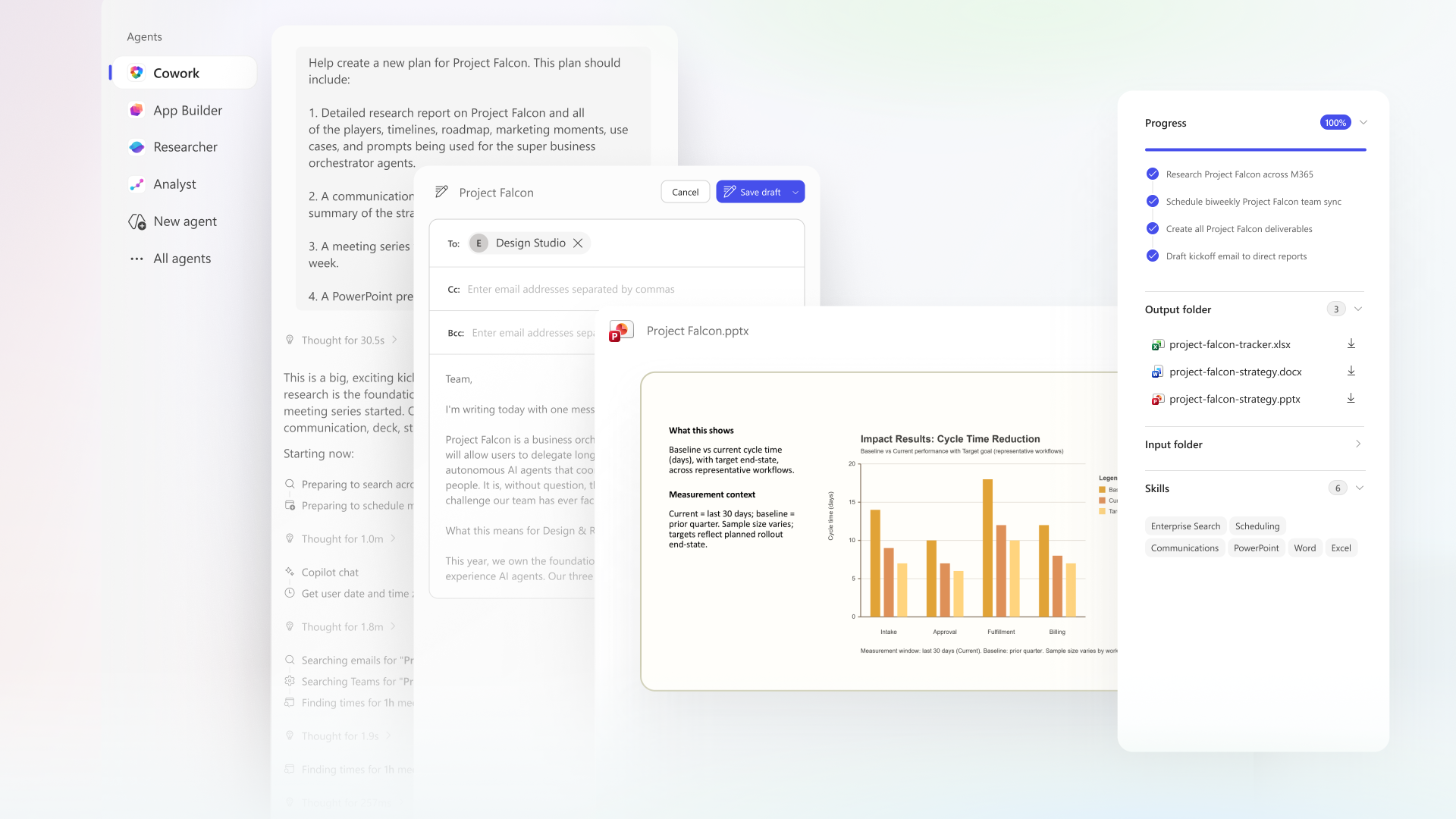
This is the only image of Copilot Cowork we could find
The Two Approaches (And What Claude Users Can Learn)
Here's where people get confused. Both Claude Cowork and Copilot Cowork want to be your digital employee, but they operate very differently.
The Claude Approach (Static + Local): Claude Cowork relies on a claude.md text file as its "brain." You have to manually write out your business context, goals, and rules so the AI knows who you are. It operates locally on your machine in a designated sandbox folder. The downside? It can be buggy and occasionally throw API errors. More importantly, to run a scheduled morning briefing, your laptop literally has to be open and awake.
The Copilot Approach (Dynamic + Cloud-Based): Microsoft's Copilot Cowork doesn't need a static instruction file. It uses a system called Work IQ to automatically ground itself in your live emails, Teams messages, and Excel data. Instead of blindly following a permanent rule, it dynamically asks you what your goals and non-negotiables are before executing a complex task. Crucially, it runs in a protected, sandboxed cloud environment, meaning your automated tasks happen in the background even if your device is turned off.
Real Use Cases
Copilot Cowork is really effective at coordinating work because it has such good access. Here is what that actually looks like in practice:
The Calendar Triager: Copilot reviews your packed Outlook schedule, identifies conflicts, and asks what you are prioritizing. It then automatically accepts, declines, or reschedules meetings, and can even draft prep documents for the ones that matter.
The Meeting Packager: Instead of spending an afternoon preparing for a client, Copilot pulls inputs from your emails and files to generate a briefing document, supporting analysis, and a client-ready slide deck.
The Deep Researcher: Hand off complex research entirely. Copilot will gather SEC filings, earnings reports, and news, packaging the findings into a cited executive summary and an organized Excel workbook.
The Launch Coordinator: For new products, it can build competitive comparisons, distil value propositions, and generate a pitch deck, translating strategy into coordinated action.
What Claude Users Can Learn from Microsoft's Playbook
If you're building workflows in Claude Cowork, steal these three principles from Copilot to make your digital employee more effective:
Dynamic Alignment: Instead of relying purely on a static instruction file (claude.md), design your Claude workflows to explicitly ask for your immediate priorities before executing complex tasks.
Built-in Checkpoints: Copilot builds a plan and waits for your green light before acting on your behalf. Always design your Claude prompts to include "human-in-the-loop" approvals rather than letting it run entirely blind.
Maximised Context: Copilot feels magical because Work IQ natively sees your whole workspace. To replicate this in Claude, meticulously connect your apps using native Connectors (like Gmail and Slack) or leverage Zapier MCP to securely link your sandbox to 8,000+ other apps.

The future of work (hopefully) isn't about automating away our jobs - it's about delegating the administrative coordination layer.
When an AI can research a company, compile findings into an Excel sheet, and reorganise your calendar, the highest-leverage human skill becomes system design... creatively designing workflows and deciding which strategic battles are actually worth fighting. For non-technical founders, this is the start of a journey into autonomous agents, and we're here for it.
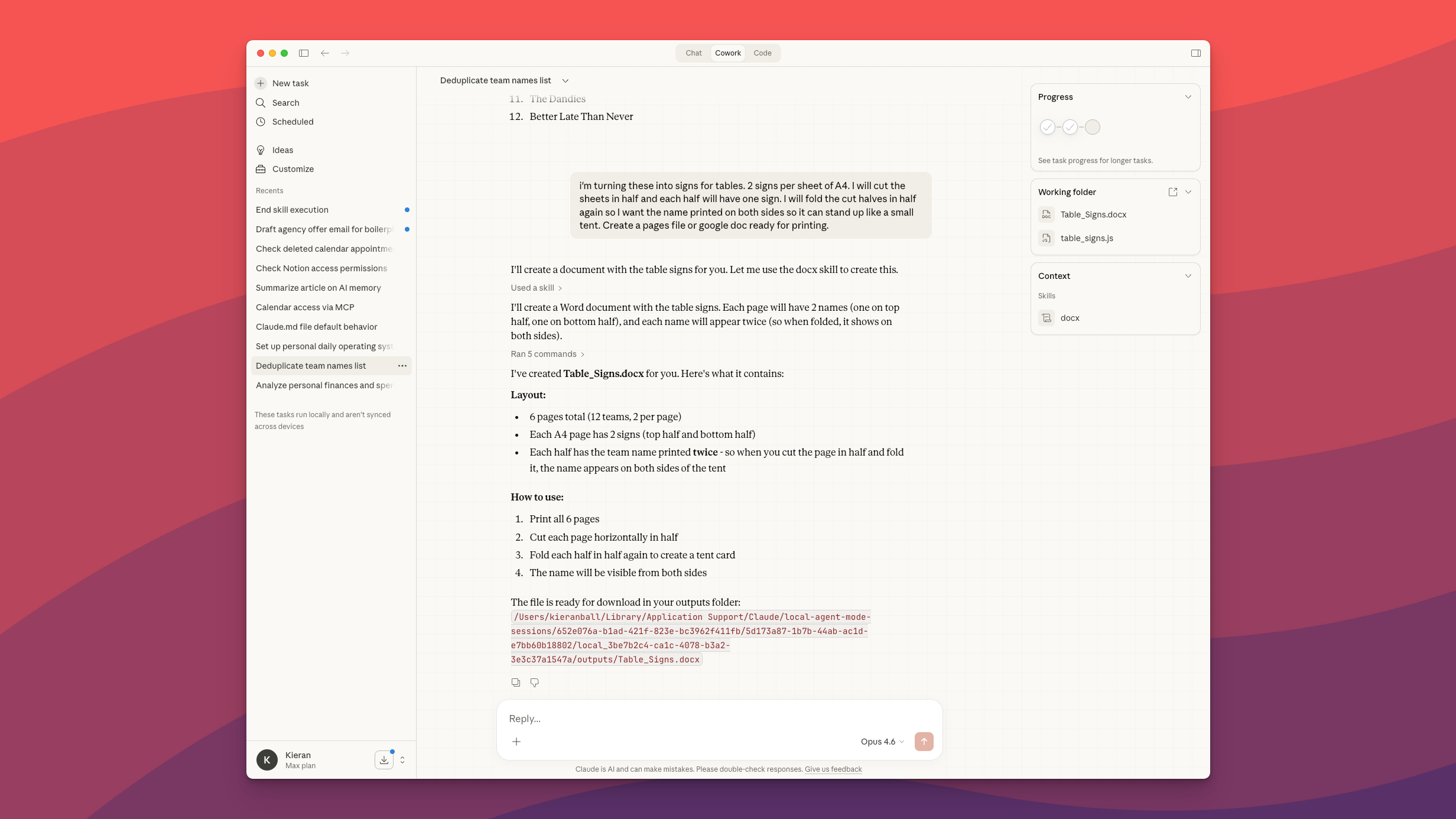
Kieran uses Cowork for important tasks like creating a Word document of quiz team names for table signage
What We Recommend Doing to Stay Ahead
If you aren't getting Microsoft Copilot Cowork in your office, we recommend getting a Claude Cowork subscription and having a go at building your own work (or life) assistant. Simply tell it your end goal and that it should ask you questions to help it define what it needs to do. The great thing about these systems is they can literally build themselves.
Start small. Ask it to help you manage your to-do list, categorise your notes, or help you with your finances. Build from there.
By the way, if you're interested in joining a group of professionals from non-technical backgrounds who are sharing their learnings and best practices, the Create With Slack community is the place to be. More info here.
03 / 04
Video: How to Set Up Your OpenClaw (for Beginners)
In our live session, Create With friend Tanveer Mohammed did a complete walkthrough of setting up OpenClaw from scratch.
We went from zero to a working AI agent on Telegram - covering VPS setup on Hostinger, API keys via OpenRouter, connecting apps through Composio, creating skills, scheduling cron jobs, and the heartbeat feature. Tanveer also shares how he actually uses OpenClaw day-to-day, from health tracking to trading alerts to running a full business.
04 / 04
Final Thoughts
Founder creates OpenClaw 👉 OpenAI acquired it.
Founder creates Moltbook 👉 Facebook just acquired it.
Who's making Crabgoogle!

Written by
Kieran Ball
Co-founder, Create With

Written by
James Devonport
Co-founder, Create With
The Create With Briefing
Get the next edition first.
Real-life use cases, the tool changes that matter, and the best events near you. Free, every Tuesday, to 8,600+ readers.

