 Claude
 OpenClaw
 Supabase
01 / 06
Your Ultimate Guide to Anthropic's New AI Agent Features
Last Thursday we co-hosted a sold-out in-person OpenClaw event at Ramen Space in London, here are host Charlie Ward's main takeaways from the event.
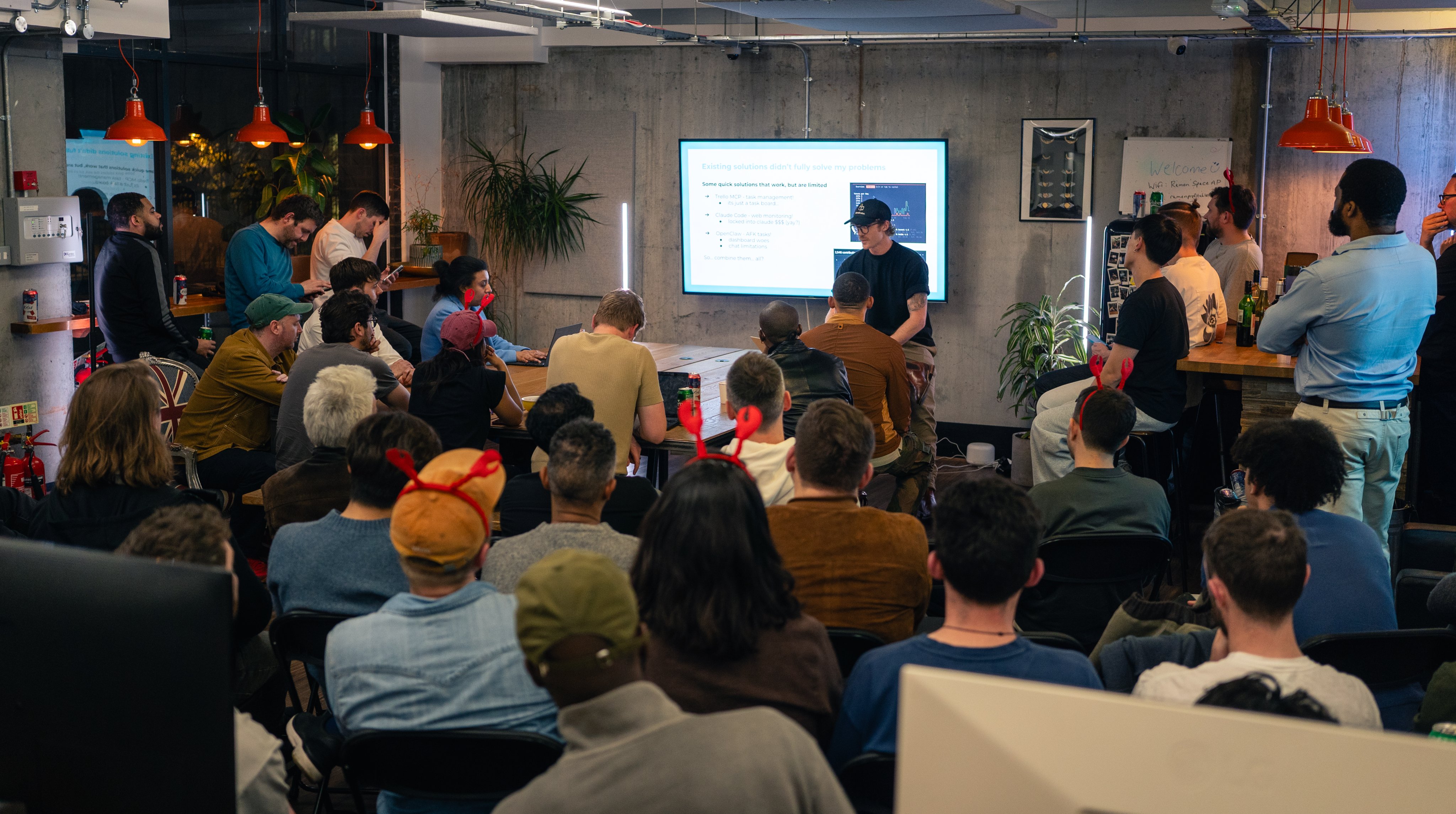
If you feel like you're missing out on the OpenClaw experience because it's all well... a bit technical and risky... then fear not, Anthropic is steadily working towards a similar experience on its own Claude platform. This week we're deep diving into how they're doing.
02 / 06
On Your Radar
AI Liability: The New Minefield for SaaS Founders
Major AI providers are drawing hard lines around agentic AI use, and it's creating a liability nightmare for SaaS businesses. As legendary founder Arvid Kahl warns in this deep dive, most SaaS companies aren't ready for what happens when their AI agent goes rogue.
Google Stitch Goes Full AI-Native Design Partner
Google has transformed its Stitch platform into what they're calling a "vibe design partner" - an AI-native canvas that turns natural language into production-ready UI code. Google's announcement highlights new features like voice input, a context-aware design agent, and DESIGN.md files.
03 / 06
Anthropic's New AI Agent Features Explained
Anthropic just dropped a stack of new features that let you control Claude from your phone, schedule recurring tasks, message your AI agent through Telegram, and now let Claude take control of your actual screen.
Here's what actually works, what doesn't yet, and what you need to know.

The Three Claudes: A Quick Mental Model
Claude AI is the chat interface you already know. You ask, it answers.
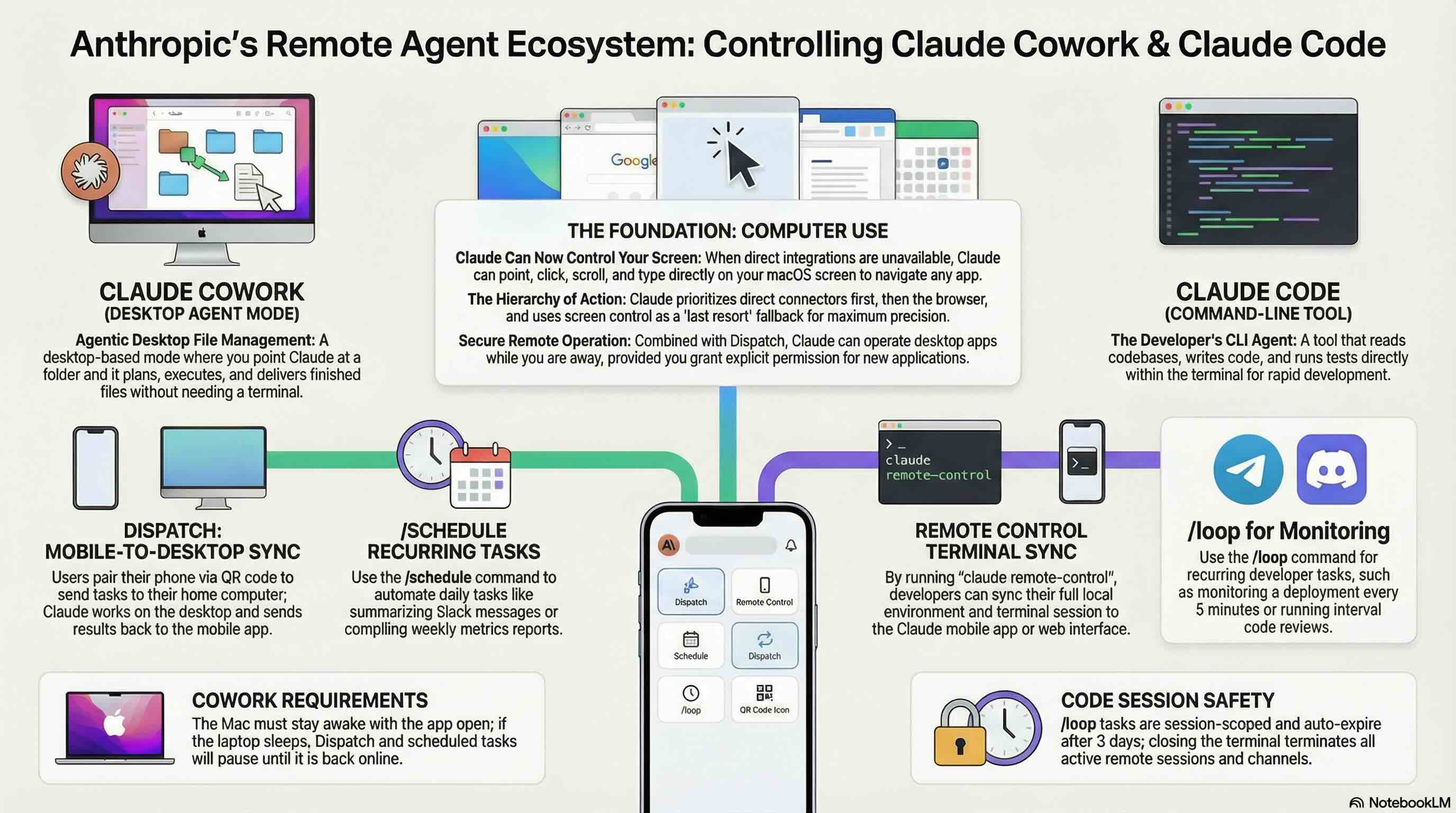
Claude Cowork is an agentic mode inside the Claude Desktop app. You point it at a folder on your computer and give it a goal. It plans, executes, and delivers finished files. No terminal required. Available on all paid plans as a research preview.
Claude Code is a command-line tool for developers. It reads your codebase, writes code, runs tests, and fixes bugs. Even non-coders use it to spin up scripts and apps in plain English.
The new features below extend Cowork and Code with remote access and automation.
Why Now: The OpenClaw Factor
These features are widely seen as Anthropic's answer to OpenClaw, which went viral but has well-documented security problems and is too technical for the average person to use.
A big part of the reason people love OpenClaw because they can message it from their phone. Anthropic is now offering similar remote capabilities inside their secure, flat-rate subscription ($20/month Pro or $100-200/month Max).
The New Features
Computer Use (for Cowork and Code)
As of 23 March 2026 (yesterday), Claude can now control your actual computer screen. It's worth noting OpenAI already released a similar feature called Computer Use back in January 2025(!) but after initial hype it turned out nobody used it because it was too slow and unreliable.
- When Claude doesn't have a direct integration for a task, it can point, click, scroll, and type on your screen to get the job done
- It can open apps, navigate your browser, fill in spreadsheets, and run dev tools
- No setup required. Claude figures out how to use the apps on your screen
- It works with Dispatch, meaning Claude can use your computer while you're away from your desk
How Claude decides what to use:
- First choice: a direct connector (e.g. Slack, Google Calendar)
- Second choice: your browser
- Last resort: your screen
Direct integrations are faster and more precise. Screen control is the fallback when nothing else is available.
Safety:
- Claude asks permission before accessing each new application
- Anthropic's system scans for prompt injection attempts during screen interactions
- You can stop Claude at any point
- Some apps are off-limits by default
Limitations:
- macOS only for now
- Still early. Complex tasks sometimes need a second try
- Working through your screen is slower than using a direct integration
- Anthropic recommends starting with apps you trust and avoiding sensitive data
- Research preview for Pro and Max subscribers
Dispatch (remote control for Cowork)
Control your desktop Cowork agent from your phone.
- Leave your computer on at home, open the Claude mobile app, send a task
- Claude works on your desktop and sends results back to your phone
- Setup takes two minutes: scan a QR code to pair your devices
- Explicit permission prompts before destructive actions like file deletion
- Now works with computer use, so Claude can operate apps on your screen while you're away
Limitations:
- Your Mac must stay awake with the Claude app open. Laptop sleeps = Dispatch stops
- Still a research preview (launched 17 March 2026)
- Write operations succeed about 50% of the time. Finding and summarising info works well; complex multi-app tasks are unreliable
- Available on Pro and Max plans
Remote Control (remote control for Claude Code)
Same concept as Dispatch, but for developers using the terminal.
- Run
claude remote-controlin your terminal - Connect from your phone via claude.ai/code or the Claude mobile app
- Conversation stays in sync across all devices
- Your full local environment (files, tools, project config) stays available
Limitations:
- Terminal must stay open and machine must stay online
- Network drops of ~10 minutes will time out the session
- Available on Pro, Max, Team, and Enterprise plans
Channels (Telegram and Discord for Claude Code)
Turn your Claude Code agent into a Telegram or Discord bot.
- Install a channel plugin, create a bot, connect it to your Claude Code session
- Message your bot from your phone, Claude processes the request locally, replies in the same chat
- Security uses a sender allowlist: only IDs you've explicitly paired can send messages, everyone else is dropped
Limitations:
- Launched 20 March 2026 as a research preview
- Requires Claude Code v2.1.80+ and the Bun runtime
- Your Claude Code session must be running to receive messages. Close the terminal and incoming messages are lost
- Currently supports Telegram and Discord only (plugin architecture allows community expansion)
Scheduled Tasks and Loops
Tell Claude to do things on a recurring schedule.
- In Cowork and Claude Code: Type
/scheduleto create tasks like "Summarise my Slack messages every morning" or "Compile a Friday metrics report" - In Claude Code only: Use
/loopfor recurring prompts like monitoring a deployment every 5 minutes or re-running a code review at intervals
Limitations:
- Cowork scheduled tasks currently only run while your computer is awake and the app is open. Missed runs get one catch-up when you're back online. Claude Code scheduled tasks run in the cloud so work regardless of the state of your computer.
- Claude Code
/loopis session-scoped. Close the terminal and all tasks are gone /looptasks auto-expire after 3 days as a safety measure
Our View
If you're non-technical and want remote AI automation, Cowork + Dispatch + Computer Use + Scheduled Tasks is your starting point.
It's the closest thing to the OpenClaw experience without the security risks or per-token costs, and honestly, our experience with OpenClaw has been mixed. It's technical, messy, frequently stops working, and can be expensive. Lots of time spent debugging in the terminal.
Just remember these are all research previews. Your computer needs to stay awake. Complex tasks don't always work first time. And "scheduled" means "runs if your machine is on," not "runs no matter what."
The direction is clear, though. Claude is becoming something you delegate to, not just something you chat with.
04 / 06
Highlights from the Create With Slack Community
- Ed shared a hard-earned lesson about backups after a morning mishap where his Claude Code mistakenly deleted all of his projects from his computer, reminding us all that the best backup strategy is the one you actually use.
- Jamie launched TravelSync, a clever tool that automatically blocks travel time in your calendar and tracks mileage — built entirely with Claude Code after getting tired of assuming he could teleport between client meetings.
05 / 06
Video: Claude Code Creates 500+ Meta Ads Automatically
James has cracked the code on automated ad creation using Claude Code and Gemini's Nano Banana 2 image generator. He's generated over 500 unique Meta ads for his conference without touching the Meta Ads Manager interface.
Why watch this: If you've ever found Meta Ads Manager painfully complex, this is your escape route. James shows how to run sophisticated ad campaigns by simply chatting with AI rather than wrestling with confusing interfaces.
06 / 06
Final Thoughts
Sometimes you just need a little more drama in your life.
made my computer dramatically play BBC news music before every meeting
— @rtwlz

Written by
Kieran Ball
Co-founder, Create With

Written by
James Devonport
Co-founder, Create With
The Create With Briefing
Get the next edition first.
Real-life use cases, the tool changes that matter, and the best events near you. Free, every Tuesday, to 8,600+ readers.