 Jotform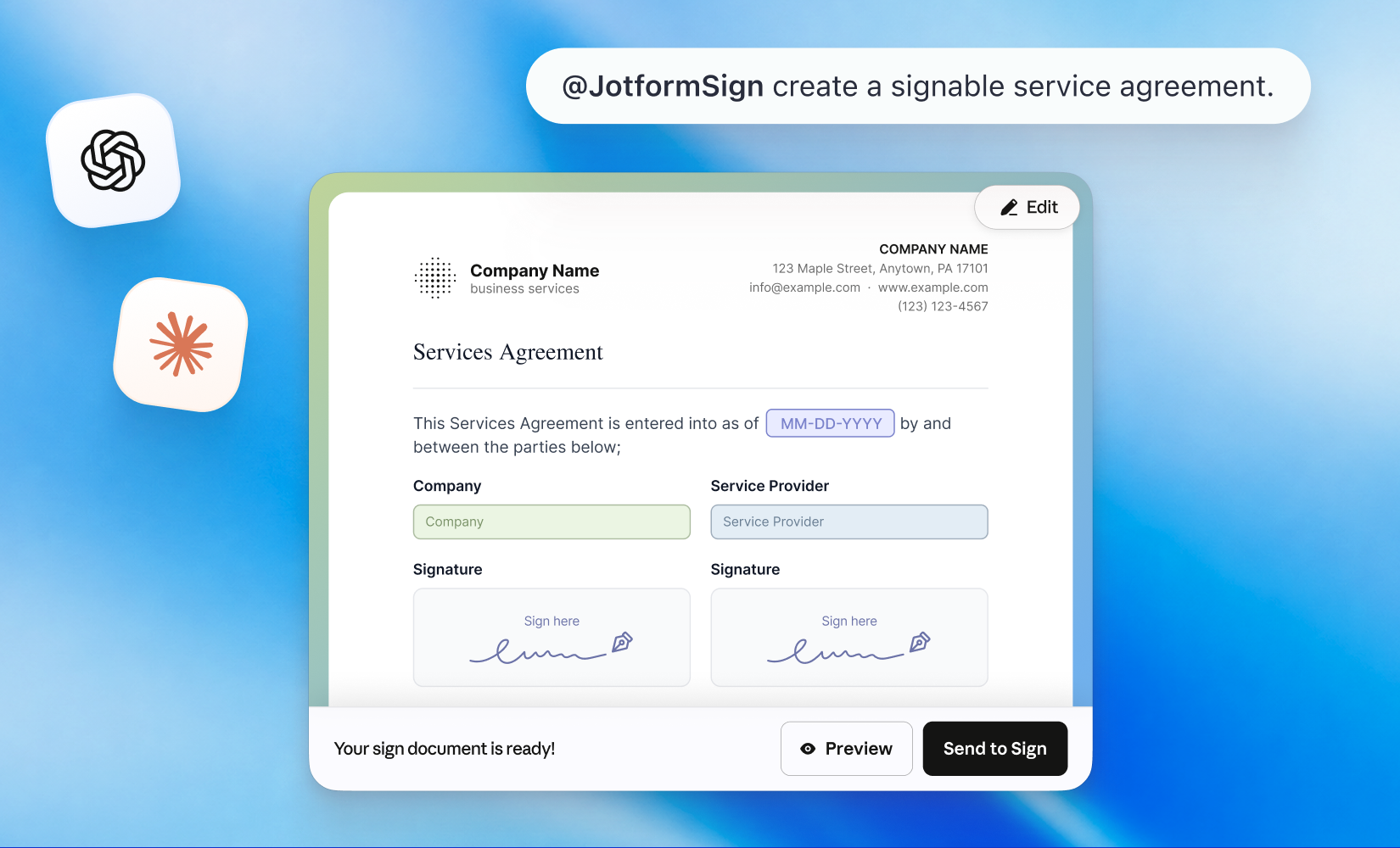
Jotform Sign for ChatGPT and Claude turns documents drafted in an AI conversation into agreements ready for signature. You can create contracts, consent documents and onboarding paperwork in the chat, then prepare and send them through Jotform Sign.
The launch post describes a workflow that starts with either a prompt or an existing document. Instead of copying the finished text into a separate e-signature tool, users connect Jotform Sign and continue from the conversation.
How Jotform Sign for ChatGPT and Claude works
The integration uses a Jotform Sign plugin or connector. Once connected, you can ask the AI assistant to draft a document or provide a PDF or document you already have. The document can then be customised before it goes to its signers.
- 1
Connect Jotform Sign
add the plugin or connector to the AI assistant
- 2
Create the document
start with a prompt or provide an existing PDF or document
- 3
Customise the agreement
review and adjust it before sending
- 4
Request signatures
send the completed document through Jotform Sign
This keeps drafting and document preparation inside the same conversational workflow. Jotform Sign handles the e-signature stage, including sending the document and keeping the signing process moving. Users retain control at the key review and sending steps.
Two ways to start an agreement
The update supports both new documents and files that already exist. That makes the integration relevant to repeatable paperwork as well as one-off agreements created during a conversation.
| Starting point | What happens next |
|---|---|
| A prompt in ChatGPT or Claude | The assistant drafts the agreement for preparation in Jotform Sign |
| An existing PDF or document | The file is prepared and customised before being sent for signature |
The supported examples include contracts, consent documents and onboarding paperwork. In each case, the AI assistant handles the initial drafting or document work, while Jotform Sign completes the e-signature workflow.
Frequently asked questions
What is Jotform Sign for ChatGPT and Claude?
It is an integration that turns documents created or prepared in an AI conversation into Jotform Sign e-signature workflows. Users can draft an agreement from a prompt or begin with an existing document, customise it and send it for signature.
How do you create an agreement with Jotform Sign for ChatGPT and Claude?
Connect the Jotform Sign plugin or connector, then start with a prompt or an existing PDF or document. Review and customise the result before sending it through Jotform Sign for e-signature.
Which Jotform plan includes the integration?
The announcement does not list eligible plans or pricing. Jotform provides its pricing information on a separate pricing page.
Sources
3 checkedHow we cover tool news: Create With's tool desk drafts these reports with AI from the sources listed above and checks them against those sources before publishing.

 ElevenLabs

 Vercel
 Circle
 Squarespace