Vercel
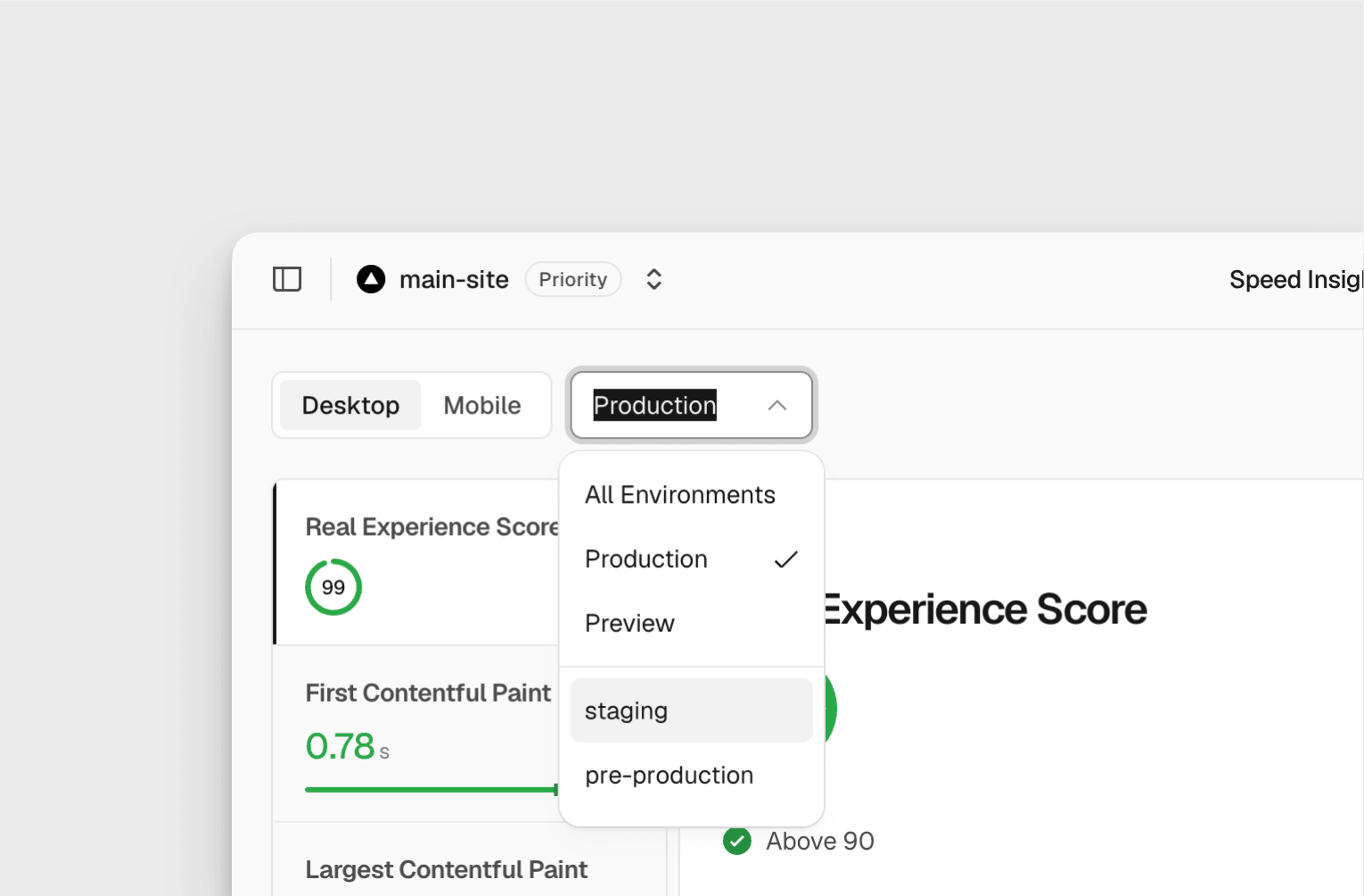
Vercel Speed Insights and Web Analytics now support custom environments, separating their traffic and performance data from Preview. Teams can track staging, QA and canary deployments alongside the existing Production and Preview views.
Previously, Vercel assigned data from every custom environment to Preview. A slow staging deployment or a spike in canary traffic would therefore appear inside the same Preview dataset. The update attributes each measurement to the custom environment where it originated.
The change requires no configuration and is available on Pro and Enterprise plans, according to the Vercel changelog.
Custom Environment Analytics Keep Each Deployment Separate
The new attribution applies to both parts of Vercel’s monitoring product. Speed Insights records performance by environment, while Web Analytics separates traffic data using the same environment structure.
| Area | Previous behaviour | New behaviour |
|---|---|---|
| Speed Insights | Custom environment data appeared under Preview | Performance is assigned to its custom environment |
| Web Analytics | Custom environment data appeared under Preview | Traffic is assigned to its custom environment |
| Setup | Custom environments were grouped automatically | No additional configuration is required |
This gives staging, QA and canary deployments their own datasets without changing how those environments are deployed. Production and Preview remain available as separate environment categories.
Where To View Custom Environment Data
The Vercel dashboard now includes custom environments in its Environment dropdown. Builders can select a specific environment or view data across all environments.
The same environment data is available through vc metrics in the Vercel CLI and through the query builder. Web Analytics data can also be accessed through the Aggregation API. The Aggregation API option applies to Web Analytics only.
These access routes cover dashboard checks, command-line inspection and programmatic reporting. Existing custom environments are attributed correctly without an extra setup step.
Custom environment support is included with Vercel Pro and Enterprise. It applies to Speed Insights and Web Analytics where those products are active on the project.
Frequently asked questions
What is custom environment support in Vercel Speed Insights and Web Analytics?
It assigns performance and traffic measurements to custom deployment environments such as staging, QA or canary. Those measurements were previously grouped under Preview.
Which Vercel plans include custom environment analytics?
Custom environment support for Speed Insights and Web Analytics is available on Pro and Enterprise plans. No additional configuration is required.
Where can I view custom environment data?
You can use the Environment dropdown in the dashboard, vc metrics in the CLI or the query builder. Web Analytics data is also available through the Aggregation API.
Sources
3 checkedHow we cover tool news: Create With's tool desk drafts these reports with AI from the sources listed above and checks them against those sources before publishing.




 Jotform