 Jotform
Jotform Launches Mobile App for E-Signatures and On-the-Go Document Approvals
Jotform has released Jotform Sign Mobile, a free e-signature app designed to let users sign, send, and track documents directly from their smartphones. The mobile app targets professionals who need to finalize contracts, approvals, and forms while traveling or meeting clients in person.
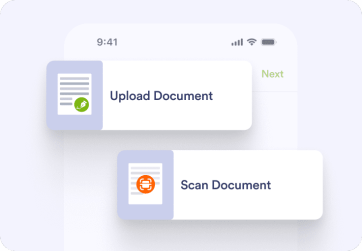
The launch positions Jotform Sign Mobile as a solution for eliminating approval bottlenecks in workflows that require signatures away from a desktop. Users can upload documents from their phone, scan paper copies using their camera, and manage the entire signature process from a mobile interface.
How the App Works
Jotform Sign Mobile follows a three-step workflow. Users start by uploading an existing file from their phone or scanning a physical document using their camera. They then add signature fields and other form elements, inviting participants to sign either by email or in person. The app tracks each signature as it comes in and stores completed documents in the user's Jotform account.
For in-person signature collection, the app enables users to gather multiple signatures face to face with minimal friction. This capability targets use cases like rental agreements, project approvals, or contracts signed during field meetings.
The mobile app integrates with Jotform's existing platform, meaning documents signed via mobile sync with the user's web-based Jotform workspace. This allows teams already using Jotform for form building and data collection to extend their workflows to mobile signature capture without switching tools.
Mobile-First Features
Beyond basic signature collection, Jotform Sign Mobile includes features tailored to mobile workflows. The app sends push notifications when documents are signed, keeping users informed without requiring them to check email or log into a dashboard. Documents can be converted from paper to digital formats using the phone's camera, which helps digitize processes that still rely on physical paperwork.
The app is available as a free download, with Jotform promoting it as part of its broader push into mobile productivity tools. Jotform has been expanding its platform capabilities over the past year, including launching Jotform AI for conversational form creation and unveiling Enterprise 2.0 with unified admin controls and AI-powered templates.
The mobile e-signature space is competitive, with established players like DocuSign and Adobe Sign dominating enterprise workflows, while tools like Typeform and Tally Forms offer alternative form-building approaches. Jotform's advantage lies in its existing user base of small business owners and teams who already rely on Jotform for data collection and can now extend those workflows to mobile signature capture.
Jotform Sign Mobile is available now for download on iOS and Android devices. Users can access the app through Jotform's website or by scanning a QR code provided on the product page. The app requires a free Jotform account to store and manage signed documents.
Sources
1 checkedHow we cover tool news: Create With's tool desk drafts these reports with AI from the sources listed above and checks them against those sources before publishing.





 ElevenLabs
 Glide
Glide
 Stripe