Glide
The business
An insurance broker who wanted to own his customers
Many insurance brokers start inside a partner network, which supplies back-office staff and takes a commission on every policy they sell. The broker can concentrate on selling, but the customers technically belong to the network.
Marco had about 500 customers when he decided to go independent at the end of 2024. kwapso had built his website, so he came to Alexander.
Alexander expected brokers to spend their days selling. "We always think insurance brokers, they only do selling. But they actually do a lot of back office work, which I also didn't know," he says.
The market has two levels. Insurers give their own agents their own software, while independent brokers work with many insurers and get a folder of PDF templates and an instruction to email when they need something.
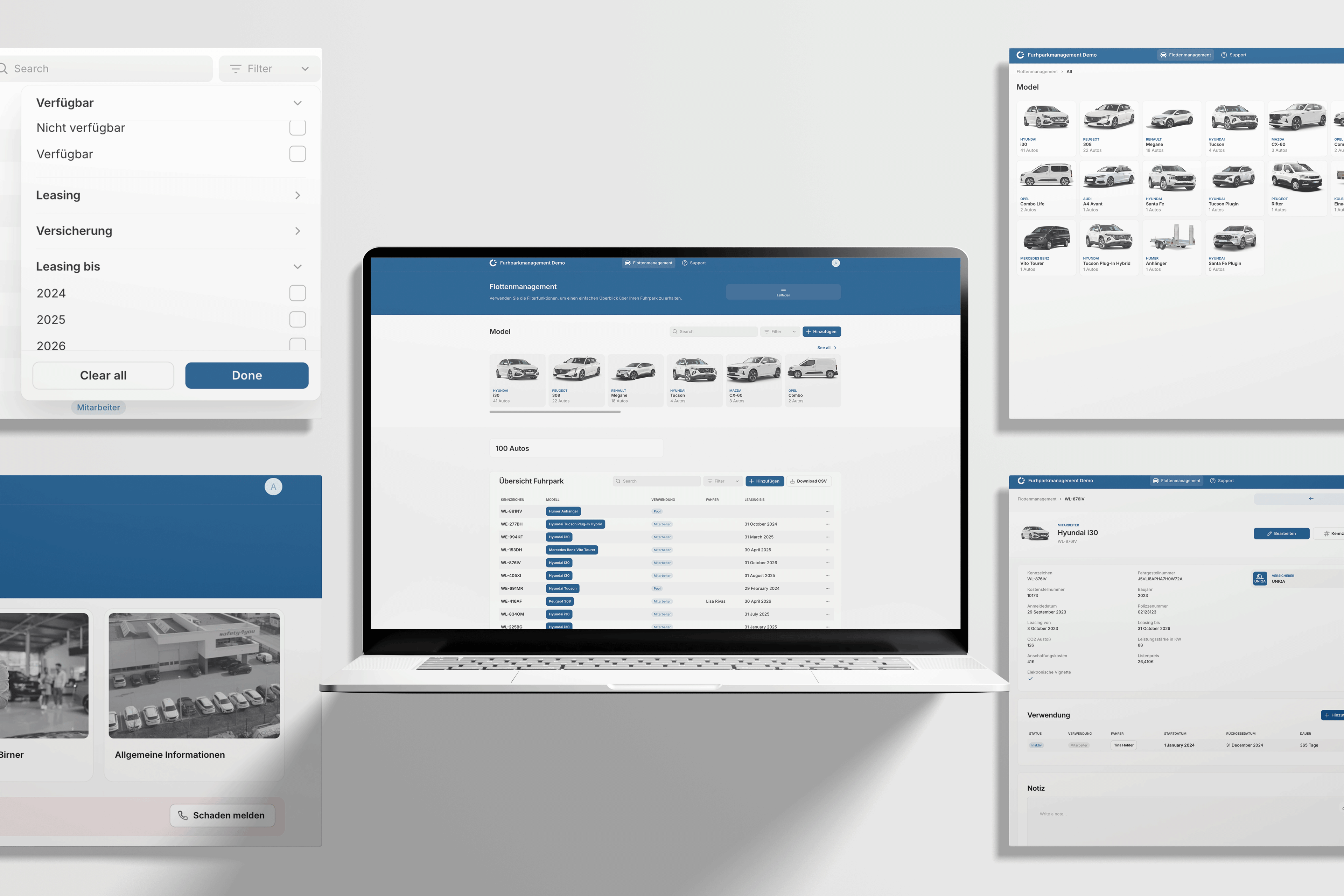
Each insurer has its own forms and its own contact for each kind of request. "We're actually building here a little ERP system for our insurance brokers," Alexander says, meaning one system for the work across every insurer.
None of the work is hard, and the trouble is the volume. "It's all very easy to do, but because they have so much volume, that's why they all get stuck," he says.
Alexander's first Create With case study was the railway company safety4you, and this is his second.
Workflow 01 / 05
Signed mandates, the job that opened the door
Before
A paper mandate signed in person by every customer
A mandate lets the broker act in a customer's name, writing to insurers, requesting contracts and making claims. Inside the network, this is how it worked.
- The mandate was a paper form, and the customer came into the office to sign it.
- Each signing took about 35 minutes of work in person, for every customer.
- The signed copy then went out with every email to an insurer, attached by hand each time.
- The customers technically belonged to the network, so leaving it meant every one of them had to sign again.
Marco had about 500 customers at that point. "I cannot do this for 500 customers," he told Alexander.
What changed
Going independent meant 500 new signatures
Leaving the network was the trigger. Every customer needed a new mandate before Marco could work for them as an independent broker.
Alexander thinks most work with traditional businesses starts this way. "You always have one initial request from these legacy businesses. They always have something that is the most bothering," he says.
What he built
A form, an e-signature and a status for every customer
Marco downloaded his customer list from the partner network and filled in the missing emails and phone numbers himself. kwapso then built the form every customer would fill in.
- One link went to every customer, sent from Marco's phone with the same WhatsApp message explaining the change.
- The form asks for the details a broker needs, like address, birth date and marital status, so signing doubled as a chance to update the records.
- The answers pre-fill the mandate, which the customer then signs with a legally binding e-signature, and a copy goes back to them.
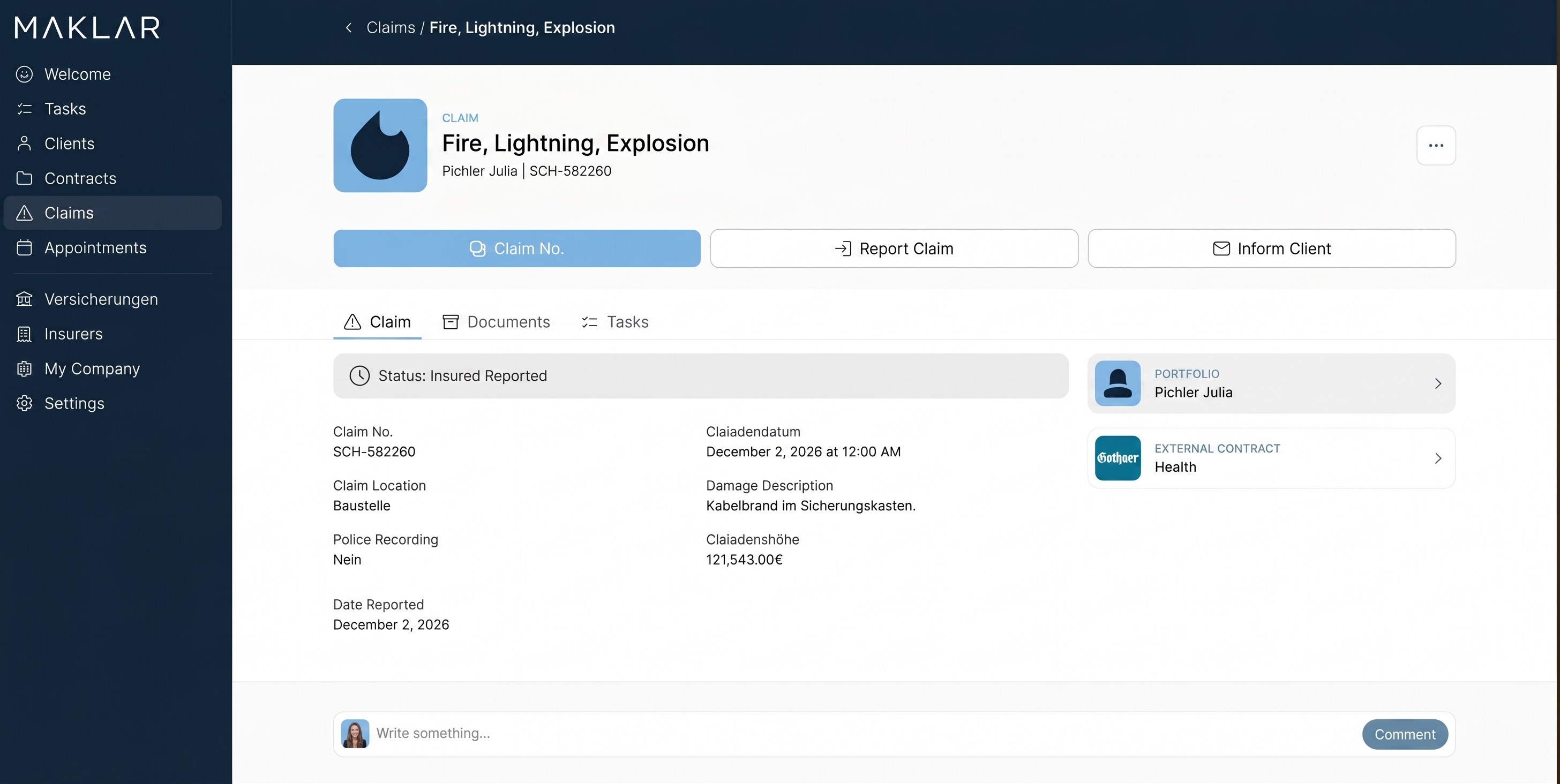
- A Glide app holds every customer, with a status of not sent, sent or signed, the updated details and the signed PDF attached.
- Marco follows up only with customers who haven't signed, because the status shows him who they are.
The form later moved inside Glide, where a customer first chooses whether they are new or existing. It became the onboarding flow for every new customer, and the start of a customer portal.
Since January 2026 the back office can also request a mandate from a customer's record in the app. The customer gets an email with a link to the form, and the signed mandate is saved to their documents.
The steps, before and after
Signing the mandate
Before, paperPersonThe customer visits the office
After, the appPersonThe customer signs on their phone
Updating the customer's details
Before, paperPersonTaken down at the visit
After, the appPersonThe customer types them into the form
Preparing the mandate document
Before, paperPersonA paper form filled in by hand
After, the appAgentPre-filled from the form answers
Filing the signed copy
Before, paperPersonKept on paper
After, the appAgentAttached to the customer's record
Chasing customers who haven't signed
Before, paperPersonFrom memory or a list
After, the appPersonFrom the status in the app
The customer now does the part that used to need an office visit, and the app does the filing.
Stack
What each tool replaced
Job:The client database, the form and each customer's status
Replaced:Paper forms signed in the office
- DDocsAutomator
Job:Pre-filling the mandate and collecting the e-signature
Replaced:Filling in the mandate and signing it in person
- WWhatsApp
Job:Sending the link from Marco's own phone
Replaced:An office visit for every customer
The team went through two other e-signature tools before settling on DocsAutomator. It already generated their documents, and its e-signature is approved for use in Germany and Austria.
Effort
Two weeks to the first link
Build time. The first version took two weeks of back and forth with Marco before the link went out, Alexander says. The status list in Glide followed, once the signed mandates needed somewhere to live.
Difficulty, easy. A weekend, no code, connecting things you already pay for. It is a form, a document template, an e-signature and a list with a status column.
Prerequisites. You need a customer list with a way to reach each person, the document as a template, and an e-signature that is legally valid where you work.
Result
945 mandates, each signed in about two minutes
- 945 signed mandates have gone through the app, to November 2026. That covers the customers who moved over with Marco and the new ones since.
- Each one takes about two minutes, down from about 35 in person. Both are estimates made with Marco when they compared the old and new ways of working.
- That one process has saved nearly €39,000, costing the time at €75 an hour.
- In 2026 the app collected 183 digital signatures: 121 mandates, 55 advisory contracts and 7 other documents.
- The same form now onboards every new customer, with nothing for the back office to do until the mandate is signed.
"We always tell him this feature alone was worth it," Alexander says.
Reality check
A mandate signed on a phone has to hold up
A mandate lets someone act in your name, so the objection to collecting one through a link is whether the signature counts. A broker without a valid mandate has no right to act for the customer.
Alexander's requirement from the start was a legally binding signature. The DocsAutomator e-signature the team uses now is approved in Germany and Austria, where the broker works, so check the equivalent rules wherever you are before you copy this.
Workflow 02 / 05
One button that requests every new customer's contracts
Before
An email to every insurer, written by hand
A new customer usually already has policies with other insurers, arranged through a different broker. Marco's offer as an independent broker was to find them better contracts, and that starts with seeing the ones they have.
- The broker writes to every insurer the customer uses, asking for all of that customer's contracts.
- Each email needs the signed mandate attached, found on the desktop and added by hand.
- Customers rarely know their policy numbers, but they do know their insurers, and the insurer's name plus the mandate is enough.
- Requests that got no reply had to be chased, again by hand.
At an average of two insurers per customer, Alexander reckons the switch alone meant about 1,000 of these emails. Each one took about 20 minutes of work.
What changed
The mandates were signed, and the contracts came next
With signed mandates and each customer's insurers already in the app, the team could use the same data to write the requests.
What he built
Requests and follow-ups that send themselves
- The customer picks their insurers from a list of every insurer in Austria, while filling in the onboarding form.
- One button sends the requests, one email per insurer, pre-filled with the customer's name and with the mandate attached.
- The emails go from Marco's own Outlook, because he wanted to see what had been sent in his own mailbox.
- Every request has a status. If nothing comes back, a follow-up goes out after three days and another after seven.
- New customers' requests now go out during onboarding, with nothing for the back office to do.
Alexander describes the build as simple. "It's just emails sent, and we attach the authorisation automatically," he says.
The steps, before and after
Finding out which insurers the customer uses
BeforePersonAsking the customer
AfterPersonThe customer picks them in the form
Writing each request
BeforePersonA new email for every insurer
AfterAgentPre-filled from the customer's record
Attaching the mandate
BeforePersonFound on the desktop and attached
AfterAgentAttached automatically
Following up
BeforePersonRemembering to chase
AfterAgentAfter three days and again after seven
Keeping a record
BeforePersonThe sent folder
AfterAgentThe status in the app, plus his own sent mail
Stack
What each tool replaced
Job:The insurer list, the button, the status and the follow-ups
Replaced:A new email written for every insurer
- OOutlook
Job:Sending each request from Marco's own address
Replaced:Nothing, it was already his email
- DDocsAutomator
Job:The signed mandate attached to each request
Replaced:Finding the mandate and attaching it by hand
Effort
A small step on top of the mandate data
Build time. The button was added to the first Glide app, on top of the mandate data it already held.
Difficulty, easy. A weekend, no code, connecting things you already pay for. It is an email template, an attachment and two timed reminders on data the app already holds.
Prerequisites. You need signed mandates stored in the app, a list of the insurers, and an email account the app can send from.
Result
1,663 contract requests in 2026, the biggest saving in the app
- The app sent 1,663 contract requests in 2026, to 4 November.
- Each takes about a minute, down from about 20, on the before-and-after estimates made with Marco.
- That comes to about 527 hours, or €34,230 at €65 an hour, the largest single saving in the app.
- Follow-ups go out after three days and seven, without anyone having to remember to chase.
Reality check
An automatic email is only useful if you can see it went
The worry with any system that sends emails for you is not knowing what went out, to whom and when. A broker who has to prove he asked an insurer needs that record.
Every request goes from Marco's own Outlook, so it sits in his sent mail like any other email. The app also logs each request with its status, and the follow-ups chase any insurer that hasn't answered.
Context
The second and third brokers: three months each, after almost a year for the first
Marco introduced kwapso to two more brokers, and all three now run similar apps. Each one is built around that broker's own way of working.
The first app took almost a year to reach its current shape. Alexander thinks it could have been built in Glide in about three months if the requirements had been known, and the rest of the time went on learning the industry with Marco.
"Transferring his words into what the system needs to do, it was a lot of back and forth. When do we send the follow-up to the insurance? When not? What do we need to track?" he says.
For the next two brokers, kwapso started from what it had already built. Alexander showed each one the full set of workflows and asked where their business was different.
That took about two weeks of requirements, then two to three months of building and testing. "That's quite straightforward," he says.
kwapso has kept these as separate custom apps rather than turning them into one product. Every broker tracks different data and has their own rules for things like when a follow-up goes out.
Context
Pay attention to: a business that can't run without its app depends on it
Alexander says Marco is clear that he couldn't run his business at its current size without the app. The objection to any business run this way is dependence, on one app and on the agency that built it.
Take that seriously if you are in the same position, whether your builder is an agency, a freelancer or someone on your own team. Marco's setup answers it in three ways.
The data is his, on a platform others can work on. Inside the partner network his customers technically weren't his, and now his records live in Glide, which many agencies and freelancers build on.
Every email goes from his own Outlook. Requests, claims and changes sit in his own mailbox as well as in the app.
Everything the app does is logged. Insurance needs proof that something happened, so the app records every email it sends and the team can always check that the automation did its job.
Alexander sees the app as giving Marco more control than he had inside the network. "He has way more freedom to work in his own app, and it's all his data," he says.
Context
The money: almost 1,300 hours saved, and about €300 a month to run
For each automation, kwapso worked out with Marco how long the job took before and how long it takes now, then multiplied the difference by how often it ran. The counts come from the app, and the minutes are estimates.
The total since the apps went live comes to 1,287.8 hours of manual work and €88,892. The analysis costs the time at €65 an hour, and €75 for the mandate.
In 2026 alone, to 4 November, seven automations saved 825 hours. That is about five months of full-time work, and €54,270 at the same rates.
| Automation in 2026 | Times | Minutes, before and after | Hours saved | Saved |
|---|---|---|---|---|
| Requesting a customer's existing contract | 1,663 | 20 to 1 | 526.6 | €34,230 |
| Cancelling a contract | 374 | 25 to 1 | 149.6 | €9,724 |
| Reporting a claim to the insurer | 235 | 20 to 3 | 66.6 | €4,328 |
| Signing the mandate online, since 20 January 2026 | 121 | 35 to 2 | 66.5 | €4,991 |
| Following up on the claim number | 235 | 3 to 1 | 7.8 | €509 |
| Reading insurer emails with AI | 415 | 2 to 1 | 6.9 | €450 |
| Deadlines for accident claims, since 22 September 2026 | 18 | 3 to 1 | 0.6 | €39 |
The app also hands out the work. It created 3,126 tasks for the back office in 2026, two thirds of all their tasks, including 713 birthday reminders.
Marco puts the saving another way, saying the apps save him at least one full-time employee. His three back-office staff look after more than 1,000 customers, where other brokers he talks to manage 300 to 400 with the same number.
Running the two Glide apps and DocsAutomator costs about €300 a month, Alexander says. The figure moves with the number of documents generated and the number of users logging in.
The customer base has grown from about 500 to more than 1,000 since he went independent. Alexander says the three back-office staff can handle that many customers because the automations take so much routine work off them.
No single task explains the saving. "Nothing is complicated, but if you have a thousand customers, it's very likely that every day you have to do ten, fifteen different forms," Alexander says.
The margins set the limit. Alexander says brokerage doesn't pay enough to hire the back-office staff it would take to do all of this by hand.
His advice
What he'd tell you to copy
Start with the thing that bothers them most. For Marco that was 500 mandates, and it took two weeks to solve. "Once you help them with one thing, they become very open to maybe be helped in other things," Alexander says.
Look for the PDF forms. Alexander found the biggest gains in pre-filling the old forms insurers still use with data the app already holds. "Insurances are so old school still. Everything is in PDF forms, which you need to fill out," he says.
Send from their own mailbox. Connecting Marco's Outlook means every automated email sits where he would look for it anyway.
Log everything. In a business that has to prove what it sent, a record of every automated action is how people come to trust the automation.
Budget time to learn the industry. The first app took almost a year because so much had to be learned with the client, and the next two took about three months each.
Expect the small things to add up. "It's all of the little things," Alexander says, and his team worked through them one step after the next.
Case studies are published to help readers understand how other organisations approached a problem. They are not endorsements of a tool or a vendor, and one company's result is not a forecast of yours.
Create With Plus · 3 more workflows from this case
12 min moreThere's more to this one.
The rest of this case study covers three more workflows in full. They are the 15 insurer processes where the app now fills in the PDF forms, the AI agent that files forwarded insurer emails against each claim, and the customer portal where a change of address reaches every insurer automatically.
Workflow 3 of 5
15 insurer processes where the app fills in the PDF form
Once a customer is signed up, most of the work is claims, cancellations and contract changes, and each one goes to an insurer as a PDF form. Every insurer has its own forms and its own contact for each kind of request.
Workflow 4 of 5
An AI agent that turns insurer emails into a claim history
A single claim runs to 10 to 15 emails with the insurer, as it asks questions and wants more proof. The back office has no assigned customers, so whoever picks up a question has to catch up on the whole claim. Customers ask where their money is, and the answer is somewhere in that email chain.
Workflow 5 of 5
A customer portal where one change reaches every insurer
When a customer moves house, marries or has a child, every insurer they use needs to know so it can update the policy. The broker has to tell each one.
Everything above this point is free on every case study we publish.