 Spline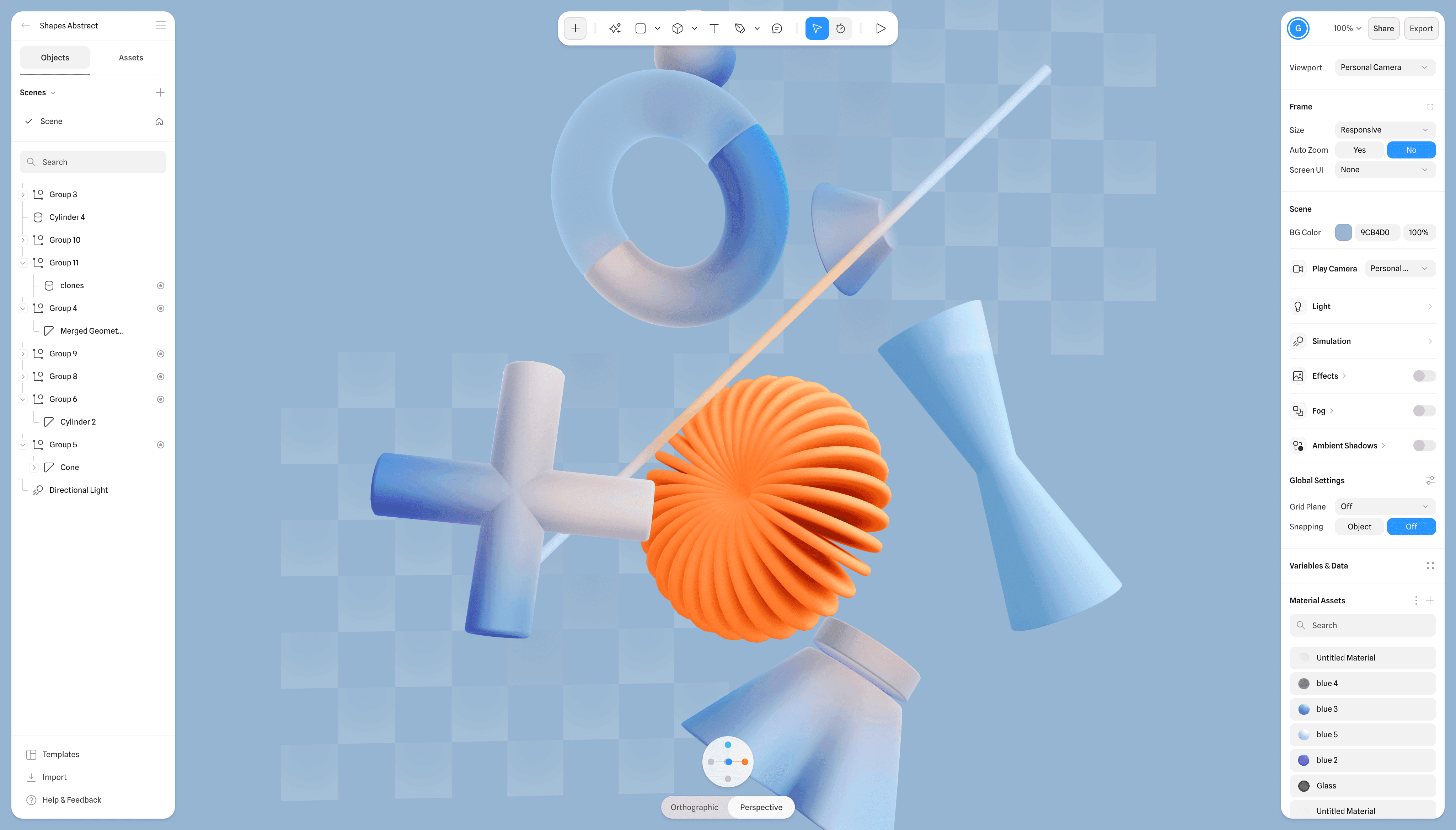
Spline is opening its Hana design canvas to external AI agents. Hana V2 introduces a Model Context Protocol server, or MCP, alongside native prompt-based generation, giving agents a way to create and edit designs without relying solely on manual canvas work.
The release reaches beyond AI. According to Spline’s official update, Hana V2 also moves the editor to WebGPU by default, adds full GLB and GLTF import support, expands vector editing tools, and introduces SVG and PDF exports. Spline announced the update on LinkedIn on August 27, with its updates page dating the release August 28, 2026.
AI Agents Move Onto the Canvas
MCP support is the headline change. Spline says its MCP server allows external AI agents to design directly in Hana’s canvas. Because MCP provides a standard way for AI systems to connect with tools and structured data, the integration could make Hana part of broader automated workflows rather than an isolated design destination.
Hana’s native AI agent remains available inside the application. Through chat prompts, it can generate and edit content built with Hana’s own object system, including:
- User interfaces and application screens
- Websites and page layouts
- Existing canvas objects and designs
- Content generated through external MCP-compatible agents
The approach follows Spline’s wider push to make agents central to its creative software. The company previously rebuilt its browser-based 3D editor around AI agents, while its earlier AI Agent Mode focused on interactive 3D simulations. Hana V2 applies that strategy to a canvas spanning interface, vector, document, and 3D work.
A Broader Production Toolset
Hana V2 can import GLTF and GLB models as 3D objects, including models using physically based rendering materials. Imported assets receive an animation inspector and 3D Shape effect settings, which should make it easier to combine conventional interface layouts with animated 3D content. Adobe Illustrator files can also be imported directly onto the canvas.
Export options are becoming more practical for work outside Hana. Frames can now be exported as vector SVG files or PDF documents, reducing the need to recreate designs in another application before handing them off or publishing them. These formats complement Hana’s role as a visual design environment rather than limiting finished work to Spline’s runtime.
WebGPU is now the editor’s default graphics layer. Spline does not provide performance benchmarks in the announcement, but the change gives Hana access to the browser’s newer GPU capabilities as designs combine vectors, images, animation, and imported 3D models.
The smaller editing improvements may be equally useful in daily work. Hana V2 adds a configurable grid layout maker, image clipping and fit controls, text truncation, frame size templates, distance and gap helpers, and a contrast checker in the color picker. More than 20 animation transitions have also arrived, including spring, sine, expo, bezier, and back variants.
Under the hood, Spline has moved autolayout and constraint handling into its Rust runtime. Components now resolve live from their main on-canvas object, while collaboration gains clearer cursors, selection outlines, and visible box selections. Together, those changes position Hana V2 as both an agent-accessible canvas and a more complete production editor.
Frequently asked questions
What is Spline Hana V2?
Spline Hana V2 is a major update to Hana, Spline’s visual design canvas. It adds MCP access for external AI agents, native agent-based generation, WebGPU rendering, 3D model imports, expanded vector editing, and new export formats.
How does MCP work in Hana V2?
Spline provides an MCP server that lets compatible external AI agents create and edit work in Hana’s canvas. Users can also generate and modify designs through Hana’s built-in chat agent.
Which files can Hana V2 import and export?
Hana V2 imports GLTF and GLB 3D models, including PBR assets, as well as Adobe Illustrator files. It can export frames as SVG vector files and PDF documents.
Sources
1 checkedHow we cover tool news: Create With's tool desk drafts these reports with AI from the sources listed above and checks them against those sources before publishing.




 ElevenLabs
 Glide
Glide
 Stripe