 OpenClaw
OpenClaw has released the largest update in its history, turning what began as a setup overhaul and browser redesign into a product-wide reset. OpenClaw 2.0 changes how new users install the local AI agent, brings its web interface closer to parity with a native application, and updates nearly every major part of the system.
The scale is unusual even for a fast-moving open-source project. According to the official announcement, 933 contributors worked on the release, including 569 first-time contributors. The update contains more than 16,000 pull requests, roughly half of all pull requests ever merged into OpenClaw.
A shorter path to the first conversation
Installation was the original focus. Rather than asking people to complete extensive configuration before using an agent, OpenClaw 2.0 starts with resources already available on their computer. Those can include existing ChatGPT or Claude subscriptions, API keys, and locally installed models.
The team says it removed or simplified parts of the setup process and deferred other configuration until later. Users can begin a conversation sooner, then continue configuring their Claw by talking to it. For small businesses experimenting with a local agent, that could reduce the amount of technical work required before assessing whether the system fits a real workflow.
The browser application received a more substantial rebuild. OpenClaw describes it as a first-class experience where users can finish setup, return to ongoing work, and follow activity live when needed.
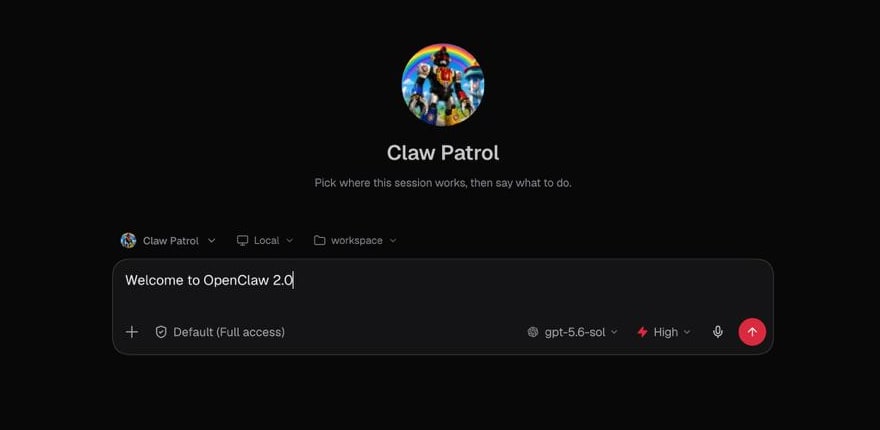
That browser emphasis matters because it gives less technical users a more familiar way to operate an agent that still runs locally. The web interface becomes the front door, while the underlying agent can continue working through connected chat applications, models, tools, and automations.
A release that spread across the entire product
The setup and browser work exposed broader issues in OpenClaw’s foundations, prompting the team to carry the cleanup through the rest of the project. The resulting release touches:
- Messaging, memory, skills, and model support
- Automations, plugins, and browser functionality
- Native applications and security controls
- Installation, upgrades, and a long list of smaller fixes
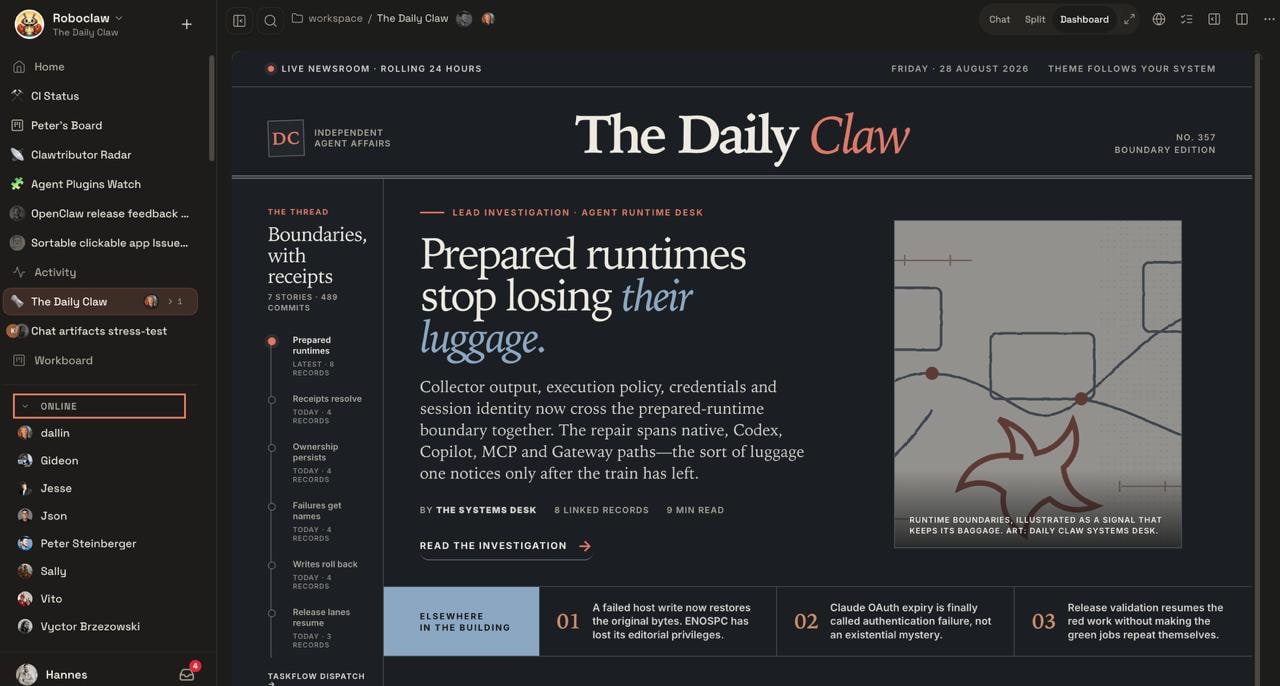
OpenClaw has published the detailed changes as the 2026.8.1 release notes. The 2.0 label therefore describes the cumulative scope of the update rather than a narrow, standalone feature.
The release also explains an unusually long gap in OpenClaw’s shipping schedule. Before this update, the project had delivered 106 releases in 230 days, often separated by only one or two days. OpenClaw 2.0 took nearly seven weeks as the contributor base grew and the existing development and release processes struggled to accommodate the volume of changes.
Instead of maintaining that rapid cadence, the team says it spent additional time testing both clean installations and upgrades for existing users. That decision follows OpenClaw’s introduction of extended-stable releases and a maturity scorecard, measures intended to make feature readiness clearer for critical workloads. It also builds on recent work to tighten security and improve agent response times.
For builders, the practical change is accessibility. OpenClaw remains a locally run personal agent, but version 2.0 is designed to make reaching a useful state less dependent on upfront configuration. Existing users should still consult the project’s upgrade documentation, particularly because this release alters so many layers at once.
Frequently asked questions
What is OpenClaw 2.0?
OpenClaw 2.0 is a major product-wide update to the locally run personal AI agent. It simplifies initial setup, rebuilds the browser application, and changes areas including messaging, memory, skills, models, automations, plugins, native apps, and security.
When is OpenClaw 2.0 available?
OpenClaw announced the release on August 30, 2026. Its detailed technical changes are documented under the 2026.8.1 release notes, with separate upgrade guidance available for existing installations.
Does OpenClaw 2.0 require a particular subscription or plan?
The announcement does not specify new pricing or plan requirements. It says first-time setup can detect existing ChatGPT or Claude subscriptions, API keys, and local models already available on a user’s computer.
Sources
1 checkedHow we cover tool news: Create With's tool desk drafts these reports with AI from the sources listed above and checks them against those sources before publishing.






 ElevenLabs
 Glide
Glide
 Stripe