 Claude
 Supabase
Since Apple first announced the App Store back in 2008, everyone and their dog had ideas for apps they'd like to build. Pre-AI the usual answer was "does it really need to be a mobile app? Or would a responsive web app suffice?". The complexity of building and deploying a mobile app made it a last resort solution.
Post-AI, things have changed. But how much? In this issue we've collected experiences from three members of the Create With community, with varying levels of experience, plus the stack our cofounder James uses, to learn about the realities of shipping mobile apps in mid-2026.
01 / 03
Can non-coders really build native mobile apps?
Our cofounder James recently wrote up the exact stack he uses to build iOS apps with Claude and Codex, which he's used to ship two production apps without writing the code himself. It's a brilliant read, and we're borrowing from it in this section.
But James has been building software for years. We wanted to know whether this works for people without that background. So we asked three Create With members who have shipped real mobile apps, and their answers cover three very different routes.
Route one: chatting to an agent inside Xcode
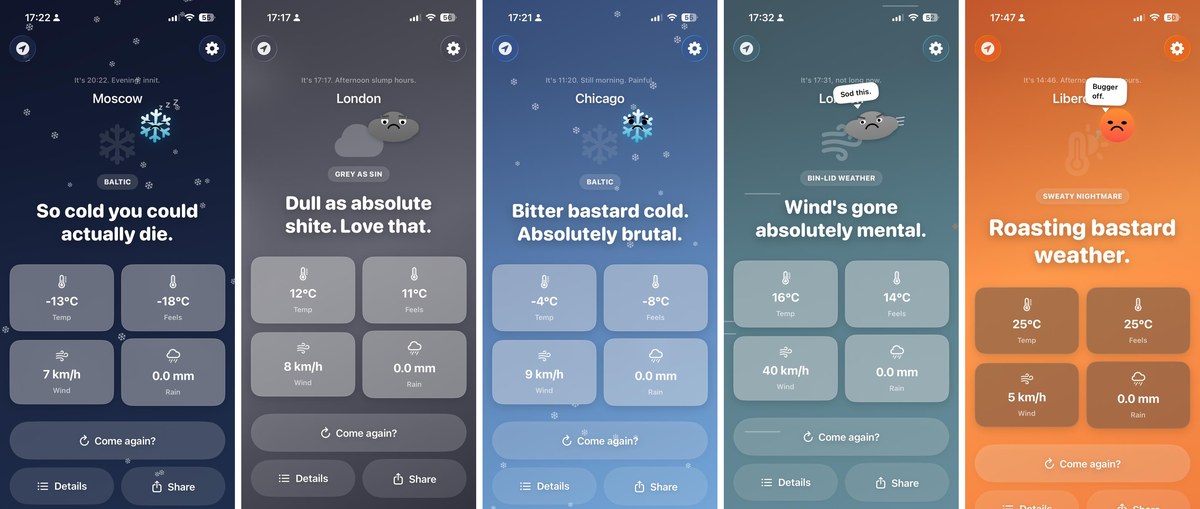
Harry had built plenty with no-code tools but had never attempted a mobile app. His idea was Typical, a deliberately miserable weather app he'd been sitting on since lockdown.
Earlier this year Apple added agentic coding to Xcode, its official app-building program. In plain terms, you connect an AI agent (Claude or OpenAI's Codex) and it writes the code inside the same tool Apple's own developers use. Harry picked Codex because he already had an OpenAI subscription.
The build took him about 20 hours spread across a week, and most of it was iteration. In his words, "lots of me saying no, you've done it again, please don't make that mistake again."
The agent handled buttons, fonts and layouts well. It struggled with illustrations, so it drew his potty-mouthed cloud mascot in code, from lines, dots and ovals. The constraint ended up giving the app a look he couldn't have designed on purpose.
Route two: learning the hard way that shortcuts bite
Michael built SniffCheck, a free Android app that reads a job ad and flags the signs of a scam. The idea came from his own job hunt, after he nearly applied to a company that turned out to be a front for an MLM.
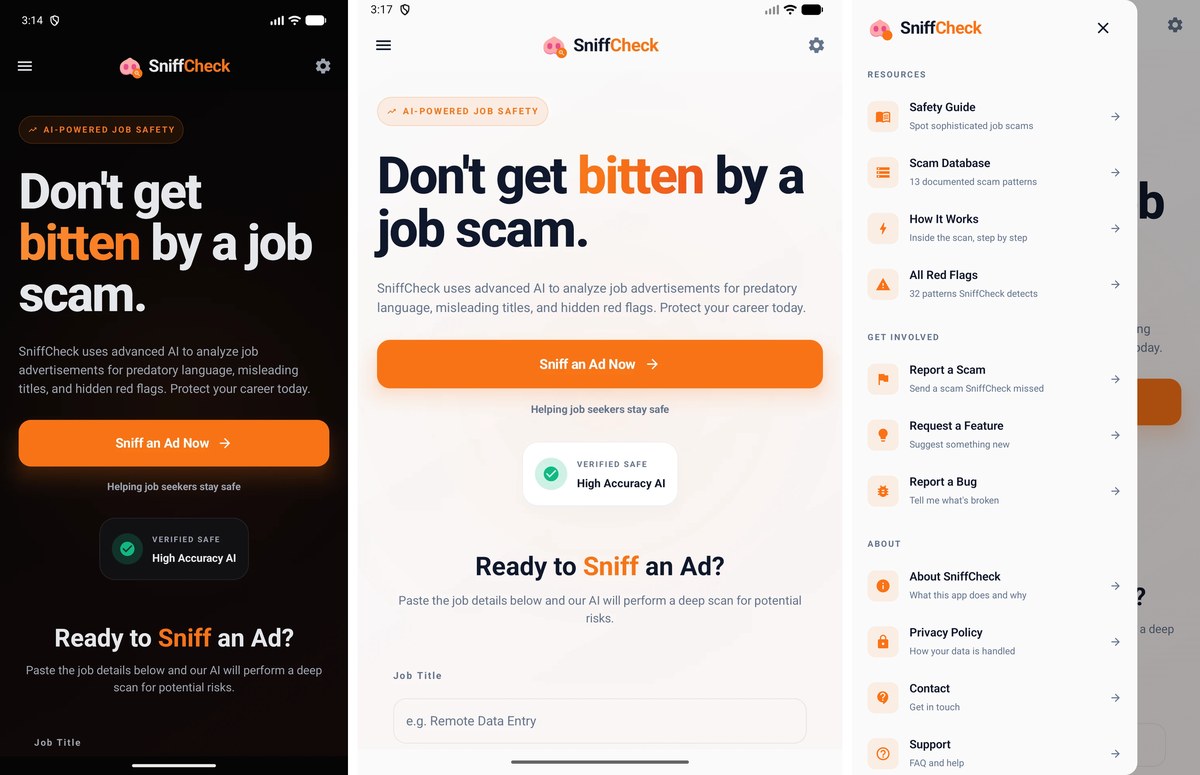
His first version was a web app built in Google AI Studio, wrapped with Capacitor to make it installable. That got him onto the Play Store fast, but a bug slipped past him because it only existed in the release build (the version users download), not the debug build he'd been testing on.
So he rebuilt it properly as a native app (one built for the phone itself, rather than a website in a wrapper) with Claude Code and shipped the fix as an update. His conclusion was blunt, "if it's meant to be an app, build it as an app."
The building was the quick part, though. Google requires new individual developers to run a closed test with 12 testers for 14 continuous days before an app can go public, and the forms, screenshots and privacy policies took longer than the code.
You can follow more of Michael's build adventures on his site.
Route three: no AI agents at all
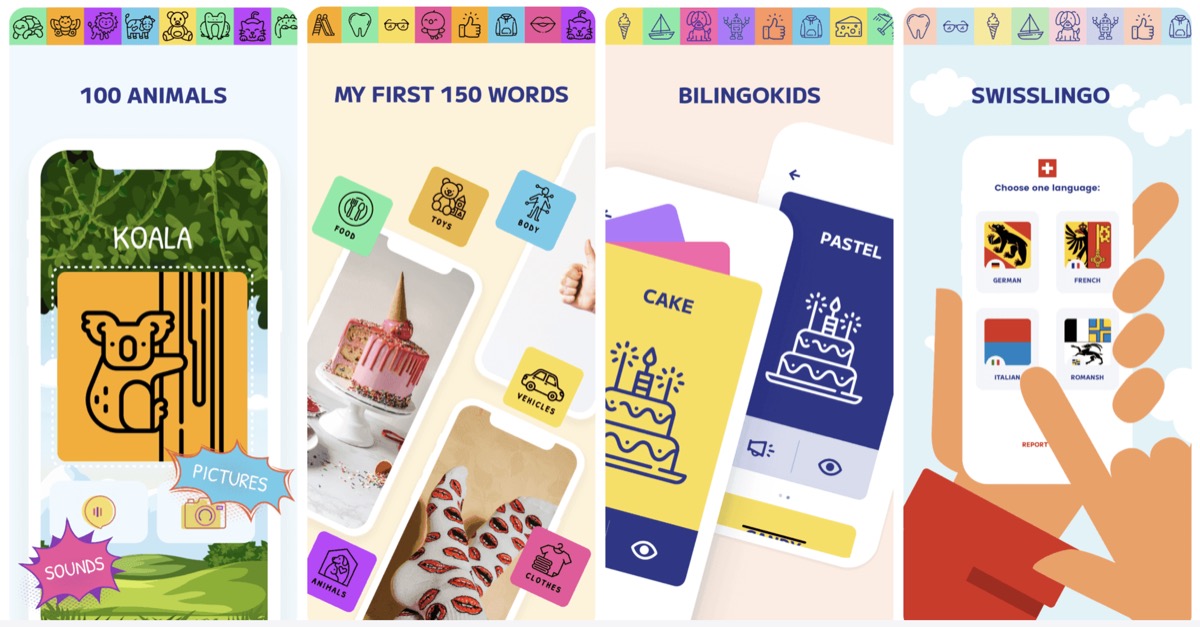
Karla, a designer, built 100 Animals, a picture-book app for kids, after watching her stepkids fight over a real one. Her first version took 24 hours.
Her stack is three tools. Figma for the screens, Bravo Studio to turn those designs into real iOS and Android apps, and Airtable as the database behind them.
The decision that mattered was designing the database before designing a single screen. Because the structure was right, a German version meant adding one column, and the same system eventually powered 12 apps in 228 total hours of work.
The app she built in 24 hours has had 439K organic App Store impressions, and it converts free users to paid at 18.2%, when 2 to 5% is typical.
02 / 03
The reality check
Every one of these stories has a grind in the middle that the "I built an app in a weekend" posts skip.
- The admin is the slow part. Store listings, data safety forms, content ratings, screenshots and testing rounds took our builders longer than the code.
- It costs a little money. Apple charges $99 a year to publish, Google a one-off $25.
- Iteration fatigue is real. Harry calls it the honeymoon phase wearing off, when you're on iteration 200 of the evening and progress is invisible.
- Agents are still poor at artwork. Icons, mascots and illustrations need sourcing or designing separately.
- Test what you ship. Michael's bug only lived in the release build. Put the real thing on a real phone before users do.
03 / 03
How to start
All three gave a version of the same advice.
Build something you've personally been burned by or lived with, because you'll know what it needs without guessing. Pick the simplest version and ship it, then let real users tell you what's missing.
If you want the full picture of a production-grade setup, James' article covers the deeper stack (Expo for the app itself, Convex for the database, Clerk for sign-in) and how he gets Claude to test its own work in a simulator.
But you don't need any of that on day one. Harry's advice was to take one idea, open the tool, plug in your agent of choice, and "watch it build the bloody thing for you."
So yes, non-coders really can build native mobile apps now. The tools have crossed the line from "technically possible" to "a determined beginner will get there", as long as you budget for the boring end.

Written by
Kieran Ball
Co-founder, Create With

Written by
James Devonport
Co-founder, Create With
The Create With Briefing
Get the next edition first.
Real-life use cases, the tool changes that matter, and the best events near you. Free, every Tuesday, to 8,600+ readers.