 Descript
Descript is hosting a live training session focused on helping video editors move fluidly between its text-based editing interface and the traditional timeline view. The session, announced on LinkedIn, addresses a common workflow question: when to use each editing mode and how to switch between them without breaking your project.
The training comes as Descript continues to differentiate itself with its text-first approach to video editing, a feature that has attracted podcasters, marketers, and content creators looking for faster ways to cut video by editing transcripts. But precision work often requires timeline-level control, and the session aims to show users how to leverage both without sacrificing speed.
Synced Views, No Trade-Offs
The core promise of the session is that users don't have to choose between text-based editing and timeline editing. According to the announcement, both views stay in sync, allowing editors to drop into the timeline for frame-level adjustments and return to text mode without losing their place or breaking edits.
The session will cover:
- A walkthrough of the timeline interface and its controls
- Guidance on when to use the timeline versus text-based editing
- Techniques for making frame-level cuts and adjustments
- Tips for keeping projects organized while switching between views
Descript promises to include real-world examples and will leave time at the end for Q&A.
Recent Updates Expand Editing Tools
The timing of this session aligns with several recent updates to Descript's editing toolkit. In April, the company refreshed its Transitions experience, adding animated previews, a new grid layout, and nine new transition types including Clock Wipe, Shape Wipe, and Push-Pull. The update also introduced bulk apply options and additional customization controls.
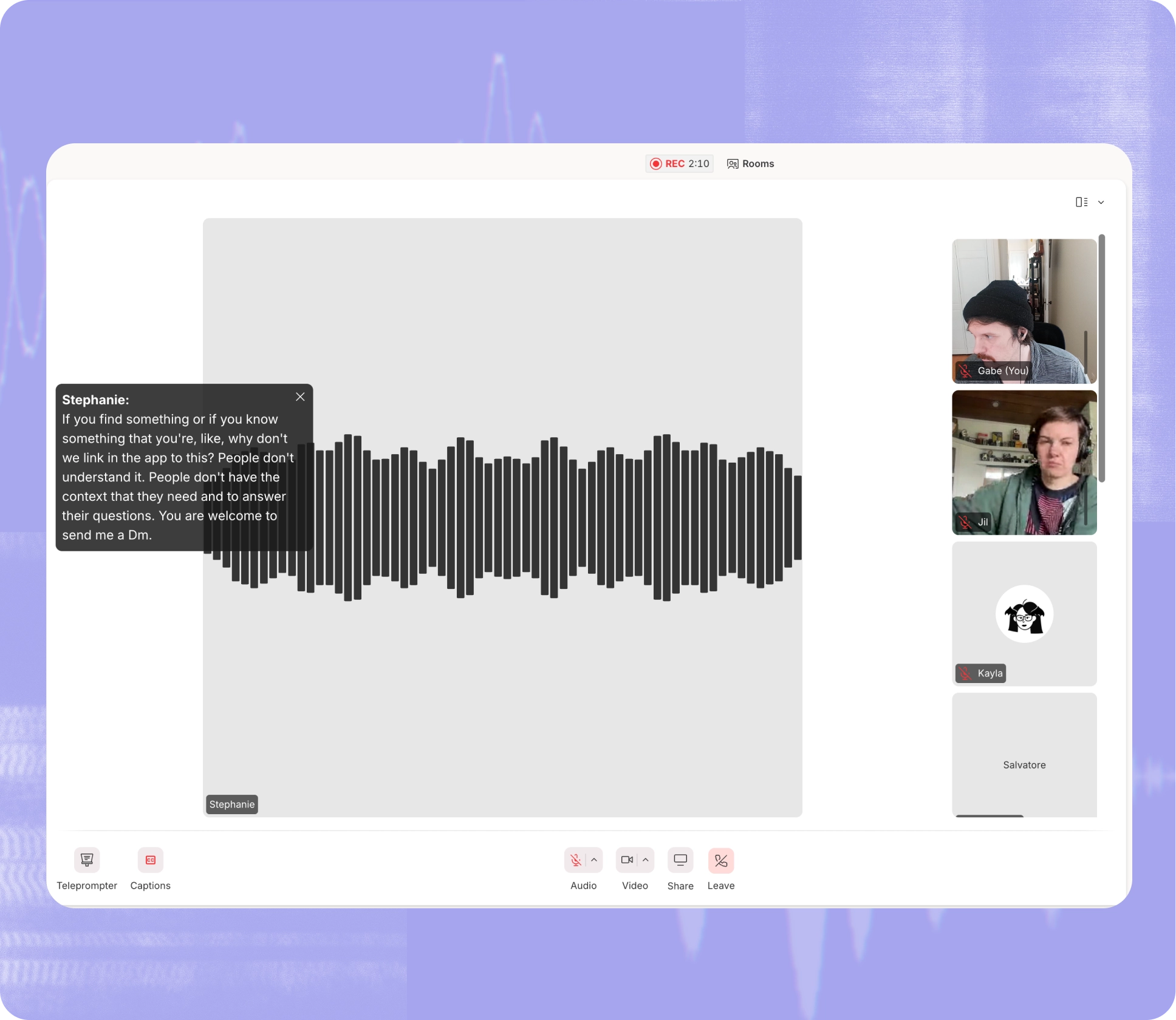
Descript also recently added live captions to Descript Rooms, its built-in virtual studio for remote recording. Real-time captions now appear as an on-screen overlay during recording sessions, improving accessibility and making it easier to follow conversations in noisy environments.
These updates suggest Descript is investing in features that bridge the gap between speed and control, a balance many video editors struggle with when working on tight deadlines.
Why This Matters for Marketing Teams
For marketing teams producing video content at scale, the ability to edit quickly in text mode and then polish in the timeline can significantly reduce production time. Text-based editing allows non-technical team members to make rough cuts by deleting words from a transcript, while more experienced editors can fine-tune pacing, transitions, and effects in the timeline.
The session appears designed for users who have already adopted Descript's text-first workflow but haven't fully explored the timeline, or who are hesitant to switch views mid-project. By demonstrating how to move between the two without disrupting edits, Descript is addressing a key friction point in its user experience.
The training session includes both concept explanations and practical demonstrations, with a Q&A segment at the end. Descript has not announced whether the session will be recorded or made available afterward.
Sources
1 checkedHow we cover tool news: Create With's tool desk drafts these reports with AI from the sources listed above and checks them against those sources before publishing.




 ElevenLabs
 Glide
Glide
 Stripe