 Claude
 Supabase
Building apps and automations is fun, as we all know, but you still need to be at your computer or on your phone to use them. But what about building tech that operates elsewhere?
This week we're talking about vibe coding software that runs on other hardware around your house. The kind of stuff that makes home life more fun and interactive.
01 / 01
Vibe Coding Hardware
Building your own gadget used to mean soldering, reading datasheets and writing code for tiny chips. Now coding agents like Claude Code and Codex can connect to a device plugged into your laptop, read its documentation and handle the fiddly setup for you.
Recently we've seen people turn cheap screens into train boards, family hubs and pocket money trackers just by describing what they want. In this deep dive we'll cover how these projects work, a few real builds, and what to watch out for before you buy anything.
How these projects work
Most of these builds follow the same pattern. A small online service fetches some data and turns it into an image or a web page, then a cheap screen on your fridge or kitchen counter displays it.
The AI does the glue work in between. It reads the device's docs, talks to it over USB, writes the service and deploys it.
A few terms you'll come across:
- E-ink is the screen technology used in a Kindle. It only uses power when the picture changes, so devices can run for months on a charge, but each redraw takes a few seconds.
- ESP32 is a tiny, cheap, low-power chip inside many of these gadgets. It has very little processing power, a bit like a calculator next to your laptop, so the heavy work happens online.
- Cloudflare Workers run small pieces of code on Cloudflare's servers. In these projects the Worker acts as the brain, fetching your data and drawing the image the device downloads.
- ADB (Android Debug Bridge) is the tool developers use to control an Android device from a computer. It's the way into the photo frames below.
James's train departure board
James recently wrote up his first hardware project on his blog. He bought a Zectrix Note 4C, a magnetic four-colour e-ink display with wifi, buttons, a speaker and a microphone.
He plugged it into his MacBook, asked Codex to connect to it and gave Codex the device's developer docs. Then he asked for a live departure board for Brighton station that refreshes every 15 minutes, with a preview of the design in Codex before anything went to the device.
Codex built the service on a free Cloudflare Worker, which pulls in live rail data and renders it as an image. The display downloads that image every 15 minutes.
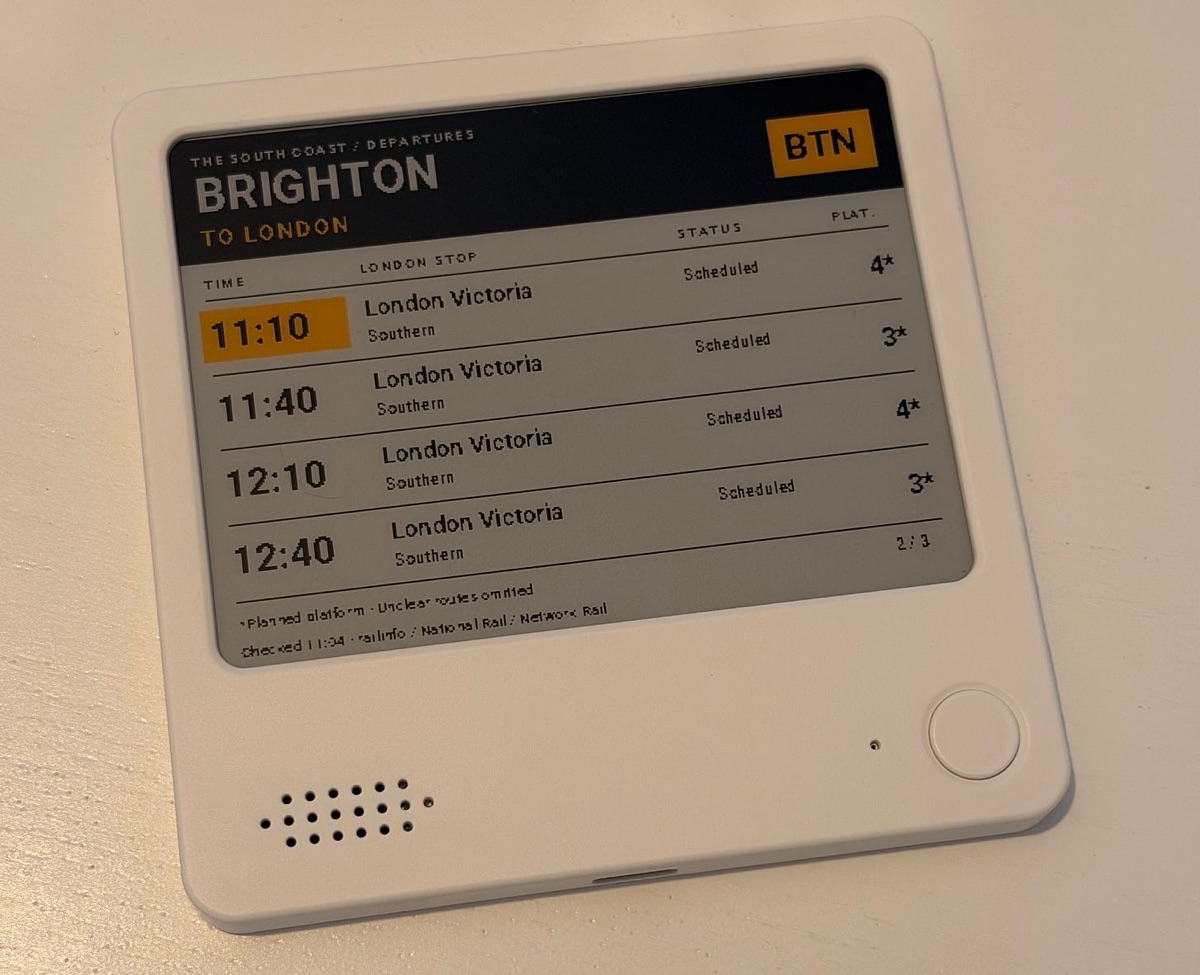
Once that worked, James added more screens, including a revenue tracker for his SaaS business and a newsletter subscriber count.
The $50 photo frame family hub
Many cheap digital photo frames on Amazon run Android under the hood. Web developer Wes Bos published an open-source repo that documents how to take control of them, remove the manufacturer's app and run your own web page full screen.
The README sums it up as "buy a $50 frame, point an agent at this repo and let 'er rip!" Much of the repo is written for the AI agent rather than the person, with step-by-step instructions and safety rules for it to follow.
More than 70 people have shared their hacked frames so far, including a Star Trek style interface, a retro weather channel and chess puzzles.
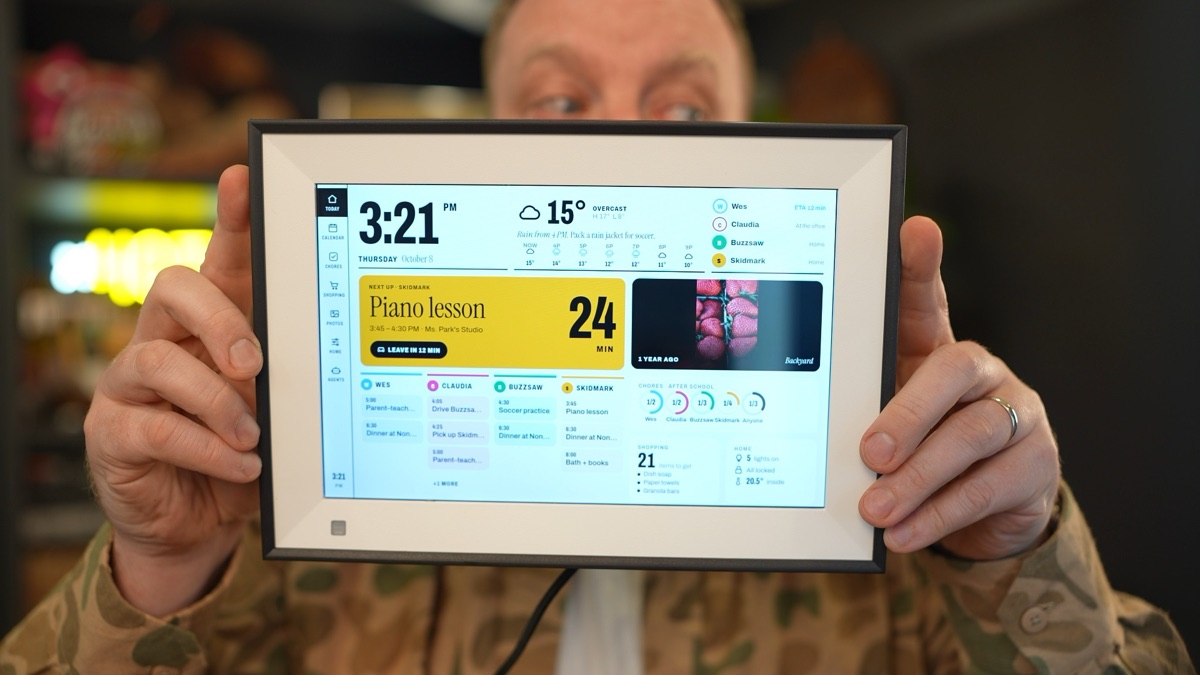
Claire Vo, founder of ChatPRD, gave the repo to Codex and asked it to help her get into her frame. Codex found the manufacturer settings, switched on Android debugging and set the frame up to show a web page.
Her dashboard shows the family's schedule, a NASA photo of the day, reminders and local San Francisco news. Each child has a page with their daily checklist, and the baby's page tracks naps so the nanny knows when the next one is due.
The dashboard runs on Vercel and has its own API, so her AI assistant posts updates to it morning, noon and night based on the family calendar and email.
Pocket money and a pixel clock
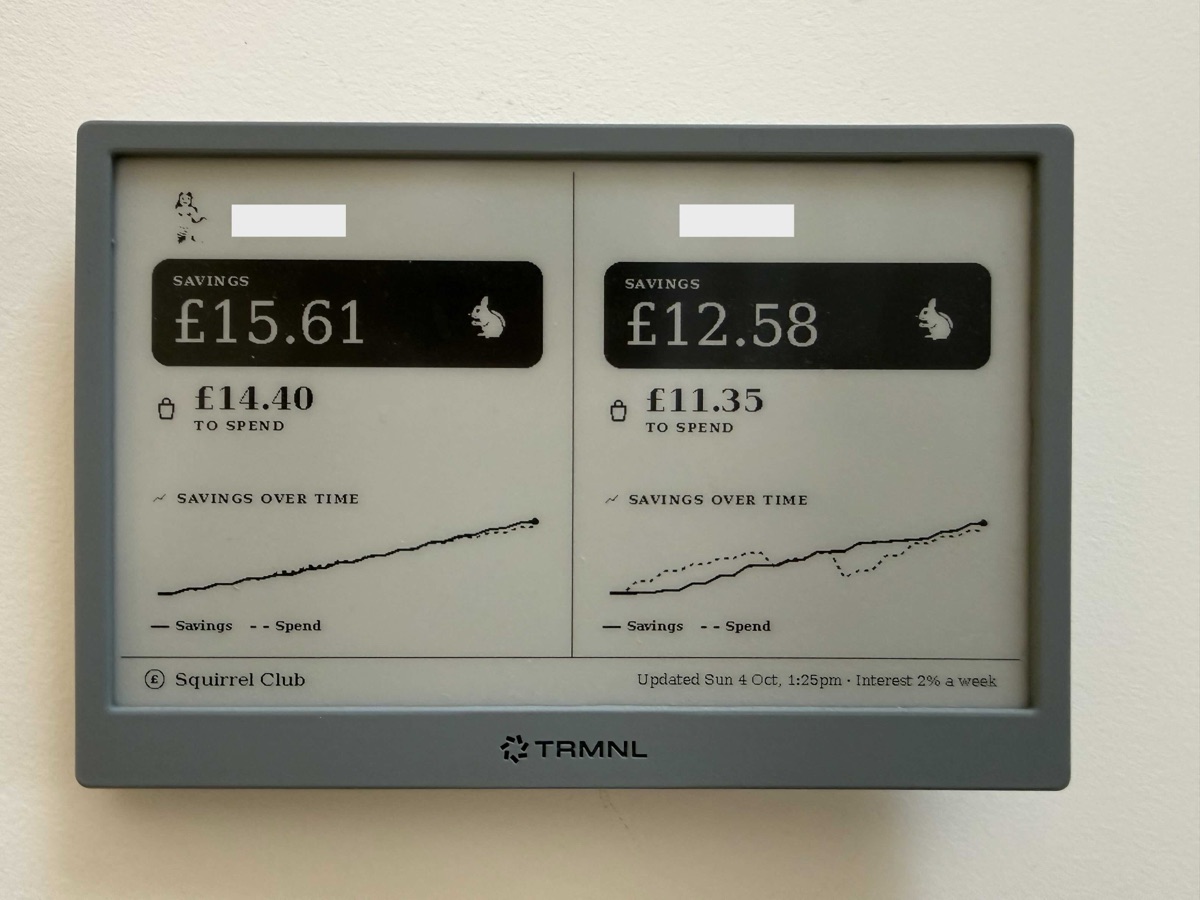
I (Kieran) used Claude Code to build a dashboard for my TRMNL, an e-ink display made for at-a-glance information. It shows my kids their pocket money balance from the pocket money app I built for them.
Each child gets their savings, how much they have to spend and a chart of their savings over time.
Create With community member Emma used Claude Code to customise a Ulanzi pixel clock for her son. It shows the time, the weather and what's happening that day, and she also used it to surprise the family with news of their upcoming holiday.
The clock costs about $50 and runs on an ESP32 chip, and open-source firmware called AWTRIX NG lets you send it your own messages and apps.
The rough edges
- E-ink is slow. James's display takes around 10 seconds to redraw, so it suits information that changes every few minutes, not live scores.
- The agent needs wide access. James ran Codex in full access mode so it could talk to the device over USB, which also lets it change other things on your computer.
- Photo frames vary. Frames sold under the same Amazon listing can have different boards inside, and the repo records at least one frame that got locked out during setup. Its rules tell the agent to take a verified backup and ask you before every change to the device.
- Cheap devices bring security risks. One common frame's stock app accepts full-control commands from the manufacturer's servers, so the repo asks you to read its security notes before the frame goes online.
How to start
The simplest route is an e-ink display with good documentation, since there's nothing to hack. The Note 4C costs £43 delivered with the discount code on James's post, and a 7.5-inch TRMNL is around $150.
Open Claude Code or Codex, plug the device in, give the agent the developer docs and describe one screen that uses free data, like train times or the weather. Ask for a preview of the design first, so the first version on the screen already looks right.
For hosting, James used a free Cloudflare Worker. TRMNL also sells a bring-your-own-device service that hosts your screens for a one-off £39.
If you'd rather stay out of code, TRMNL's library of over 1,000 plugins covers calendars, weather and many popular apps with point-and-click setup.
Leave the photo frame route until you're comfortable with the basics, and follow the repo's backup steps when you do.
James's full write-up has the exact prompts he used, if you want to follow along.

Written by
Kieran Ball
Co-founder, Create With

Written by
James Devonport
Co-founder, Create With
The Create With Briefing
Get the next edition first.
Real-life use cases, the tool changes that matter, and the best events near you. Free, every Tuesday, to 9,000+ readers.